Ein sicherer SPF-Eintrag (Sender Policy Framework) listet jeden Server auf, der E-Mails für deine Domain versenden darf, bleibt unter dem Limit von 10 DNS-Lookups und endet mit -all, damit nicht autorisierte Absender abgewiesen und nicht bloß markiert werden. Machst du auch nur einen dieser Punkte falsch, weisen empfangende Mailserver entweder legitime E-Mails ab oder lassen gefälschte E-Mails stillschweigend durch.
SPF ist in RFC 7208 definiert (der den älteren RFC 4408 ersetzt) und wird als gewöhnlicher DNS-TXT-Eintrag veröffentlicht – einen eigenen SPF-Eintragstyp gibt es in der Praxis nicht mehr. Diese Anleitung zeigt dir, wie du einen Eintrag aufbaust, der sowohl korrekt als auch robust ist.
Was ist ein SPF-Eintrag genau?
Ein SPF-Eintrag ist ein TXT-Eintrag auf deiner Domain, der empfangenden Mailservern mitteilt, welche IP-Adressen und Hosts E-Mails mit deiner Domain in der Envelope-From-Adresse (Return-Path) versenden dürfen. Wenn dir jemand eine E-Mail schickt und behauptet, you@yourdomain.com zu sein, prüft der empfangende Server den SPF-Eintrag deiner Domain, um festzustellen, ob die sendende IP auf der Freigabeliste steht.
Ein einfacher Eintrag sieht so aus:
v=spf1 ip4:203.0.113.10 include:_spf.google.com -all
Jeder Bestandteil ist ein Mechanismus und wird von links nach rechts ausgewertet:
| Teil | Bedeutung |
|---|---|
v=spf1 |
Pflicht-Versionstag, muss an erster Stelle stehen |
ip4:203.0.113.10 |
Autorisiert eine bestimmte IPv4-Adresse (kein DNS-Lookup nötig) |
include:_spf.google.com |
Bindet die Versand-IP-Bereiche von Google ein (verbraucht einen DNS-Lookup) |
-all |
Hardfail für alles andere – nicht gelistete Absender abweisen |
Was eine Domain aktuell veröffentlicht, kannst du mit unserem kostenlosen DNS-Lookup-Tool prüfen, und mit dem SPF-Generator erstellst du von Grund auf einen syntaktisch gültigen Eintrag.
Welche SPF-Mechanismen und Qualifier solltest du verwenden?
SPF-Mechanismen beschreiben, was geprüft wird; Qualifier beschreiben, was passieren soll, wenn eine Prüfung zutrifft.
Mechanismen:
ip4/ip6– passen auf eine bestimmte Adresse oder einen CIDR-Block, ohne Lookup-Kostena– passt auf den eigenen A/AAAA-Eintrag der Domainmx– passt auf die Hosts, die in den MX-Einträgen der Domain steheninclude– bindet die SPF-Richtlinie einer anderen Domain ein (üblich bei Google Workspace, Microsoft 365 und ESPs)exists– passt, wenn ein DNS-Lookup irgendeinen A-Eintrag zurückliefertptr– passt anhand von Reverse-DNS-Lookups
Qualifier, die vor einem Mechanismus stehen:
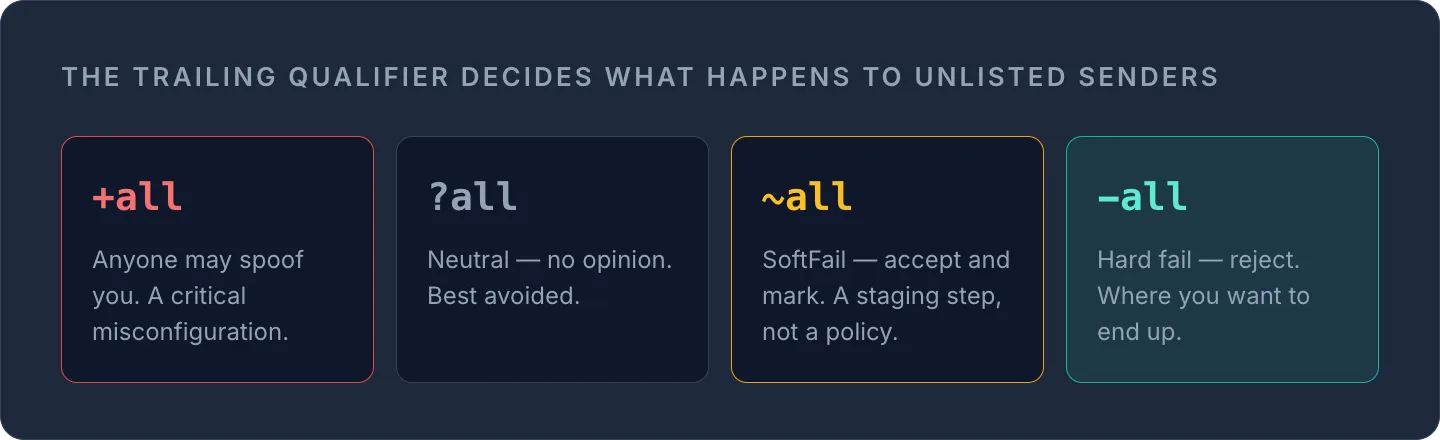
+Pass (Standard, wird selten explizit geschrieben)-Fail (Hardfail – abweisen)~SoftFail (annehmen, aber markieren, oft landet die E-Mail im Spam)?Neutral (keine echte Aussage – besser vermeiden)
WarningVerzichte komplett auf
ptr. RFC 7208 stuft ihn ausdrücklich als nicht empfohlen ein, weil Reverse-DNS-Lookups langsam und unzuverlässig sind und das Lookup-Limit stark belasten.
Für das abschließende Catch-all verwendest du -all, sobald du sicher bist, dass jede legitime Quelle gelistet ist. ~all ist ein sinnvoller Zwischenschritt, solange du noch Absender aufspürst. Als dauerhafte Richtlinie untergräbt es aber den eigentlichen Zweck von SPF – und ein versehentliches +all erlaubt buchstäblich jedem, deine Domain zu fälschen. Betrachte +all als kritische Fehlkonfiguration, nicht als großzügige Einstellung.
Das 10-Lookup-Limit – die Falle, an der die meisten SPF-Einträge scheitern
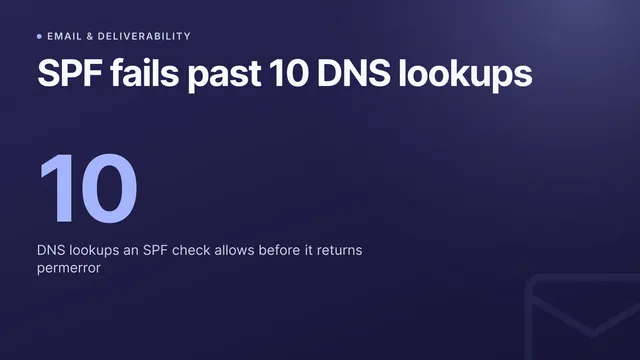
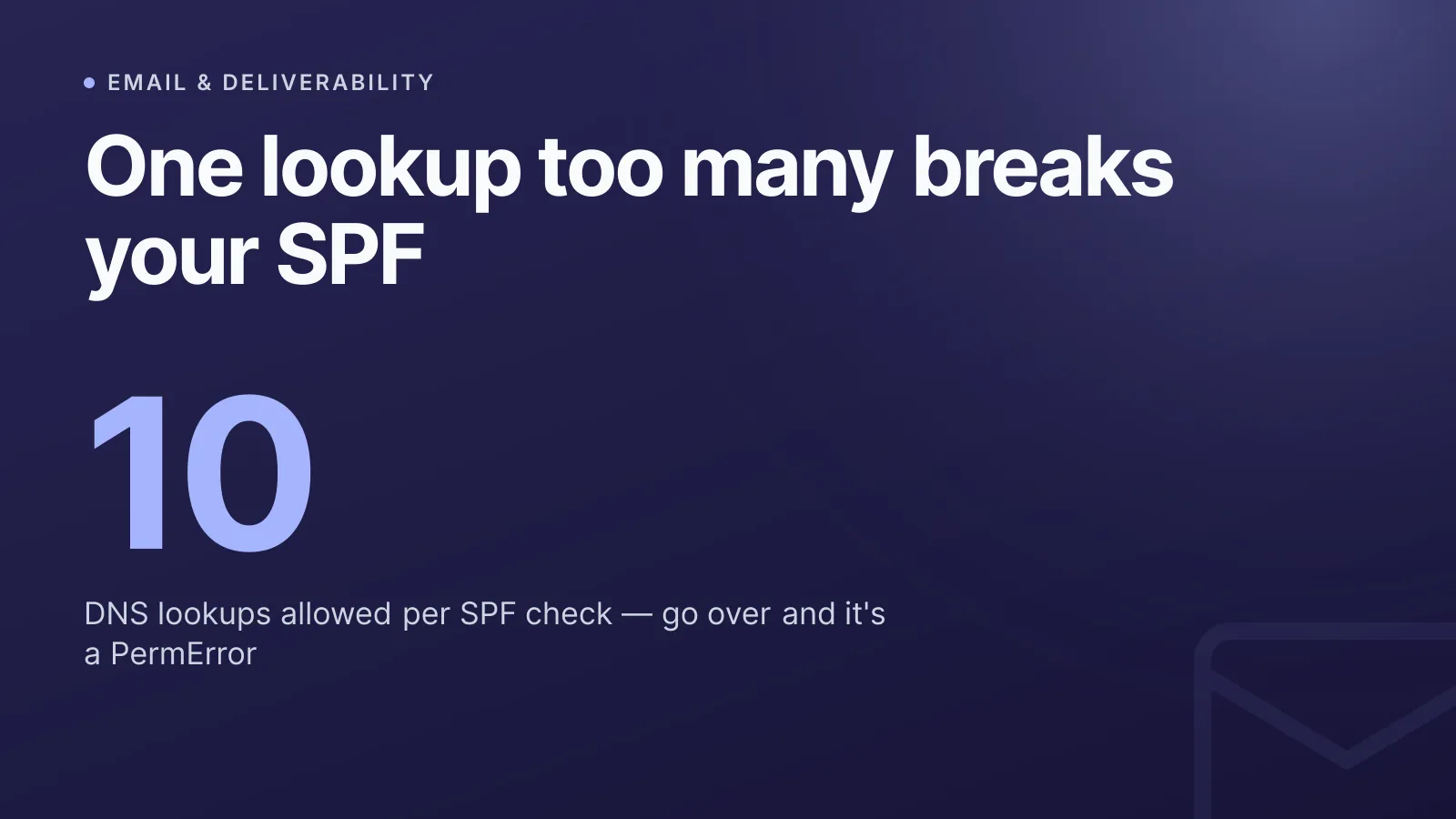
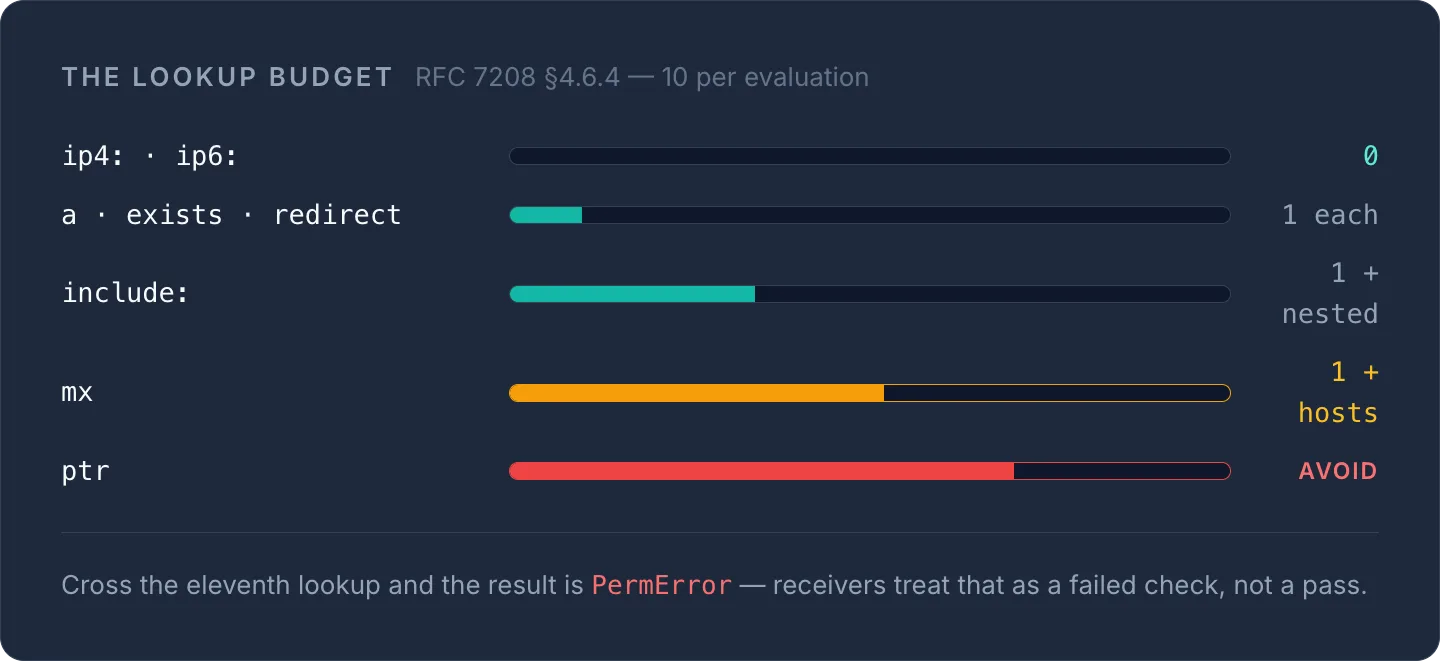
Genau hier machen die meisten Teams Fehler. RFC 7208 §4.6.4 begrenzt die SPF-Auswertung auf 10 DNS-Lookups pro Prüfung. Jedes include, a, mx, ptr, exists und redirect zählt zu diesem Limit – ip4 und ip6 nicht, da sie keinen Lookup benötigen.
Bei mehr als 10 Lookups ist das Ergebnis ein PermError, den empfangende Server als defekte bzw. fehlgeschlagene Prüfung behandeln – nicht als Pass. Das ist ein wirklich häufiger Ausfall: Eine Domain nimmt Google Workspace hinzu, dann Microsoft 365 für ein gemeinsames Postfach, dann eine Marketing-Plattform, ein CRM und ein Helpdesk-Tool, die jeweils ihre eigene verschachtelte include:-Kette mitbringen – und niemand bemerkt, wie die Gesamtzahl der Lookups über 10 klettert, bis die Zustellbarkeit unbemerkt sinkt.
Zwei Dinge verschärfen das Problem:
mxist ein versteckter Multiplikator. Wenn dumxin deinem SPF-Eintrag verwendest, kostet das einen Lookup für die MX-Abfrage selbst plus einen weiteren für jeden zurückgelieferten MX-Host.- Void Lookups sind auf 2 begrenzt. Ein Void Lookup ist jeder Mechanismus, der ins Leere läuft – ein
include:, das auf einen Host ohne SPF-Eintrag zeigt, oder eina/mxfür einen Namen, der nicht mehr existiert. Mehr als zwei davon führen ebenfalls zu einem PermError, sodass ein einziger stillgelegter Absender, den du vergessen hast zu entfernen, unbemerkt den ganzen Eintrag lahmlegen kann.
Unter zehn Lookups bleiben – und den SPF-Eintrag schlank halten
Mehr als 10 Lookups bekommst du nicht, also muss der Eintrag gepflegt und nicht einfach nur erweitert werden:
- Prüfe deine
include:-Ketten. Jeder Anbieter, den du hinzufügst, bringt seine eigenen verschachtelten Lookups mit. Liste jeden Absender auf, der tatsächlich E-Mails in deinem Namen verschickt, und streiche die, die das nicht tun – das alte CRM, das Marketing-Tool aus der Testphase, die Newsletter-Plattform, die du letztes Jahr verlassen hast. - Bevorzuge
ip4:/ip6:gegenübermxunda. Statische IP-Mechanismen kosten null Lookups. Wenn ein Absender stabile IPs veröffentlicht, liste sie direkt auf, statt aufmxzu setzen, das sich mit jedem zurückgelieferten MX-Host vervielfacht. - Flatten mit Bedacht. „SPF-Flattening“ löst deine Includes in reine IPs auf, um unter dem Limit zu bleiben – aber diese IPs gehören deinen Anbietern und ändern sich ohne Vorwarnung. Ein geflatteter Eintrag muss daher überwacht werden, sonst weist er unbemerkt legitime E-Mails ab.
Mit Hardfail (-all) abschließen – sobald du sicher bist
Der letzte Mechanismus legt die Richtlinie für alles fest, was nicht ausdrücklich erlaubt ist:
~all(Softfail) sagt Empfängern: „Wahrscheinlich nicht von uns, aber nimm es an“ – die sichere Voreinstellung, solange du noch Absender aufspürst.-all(Hardfail) sagt ihnen: „Wenn es nicht auf dieser Liste steht, weise es ab.“ Das ist der sichere Endzustand – aber stelle erst darauf um, wenn du sicher bist, dass der Eintrag vollständig ist, sonst gehen deine eigenen E-Mails zurück.
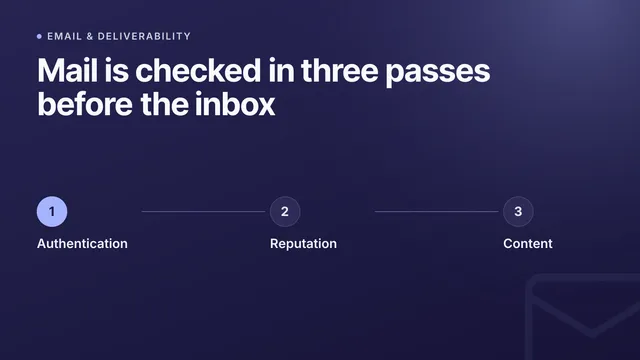
Und SPF ist nur ein Baustein von dreien: Veröffentliche DKIM, damit deine E-Mails kryptografisch signiert sind, und eine DMARC-Richtlinie, damit Empfänger wissen, was bei einer fehlgeschlagenen Prüfung zu tun ist – und damit du Berichte erhältst, wenn jemand deine Domain fälscht.
SPF-Eintrag nicht einrichten und vergessen
Ein sicherer SPF-Eintrag ist keine einmalige Aufgabe. Absender kommen und gehen, Anbieter ändern ihre IPs, und die Zahl der Lookups steigt ganz von selbst – und nichts davon kündigt sich an; du merkst es erst, wenn die Zustellbarkeit sinkt. Der DNS Security Advisor von InfraNest überwacht SPF, DKIM und DMARC für alle Domains, die du verwaltest, zählt deine aktuellen Lookups und warnt dich, bevor du die Zehn überschreitest oder ein Void Lookup den Eintrag lahmlegt – damit „sicher“ auch sicher bleibt.
Häufig gestellte Fragen
#Was ist der Unterschied zwischen SPF-Hardfail und -Softfail?
Ein Hardfail (-all) weist empfangende Server an, E-Mails von nicht gelisteten Absendern direkt abzuweisen, während ein Softfail (~all) sie bittet, die E-Mail anzunehmen, aber mit Misstrauen zu behandeln – oft landet sie dann im Spam. Verwende ~all nur, solange du noch alle legitimen Absender bestätigst, und wechsle dann zu -all.
#Verhindert SPF allein E-Mail-Spoofing?
Nein – SPF prüft nur die Envelope-From-Adresse (Return-Path), nicht den sichtbaren „From:“-Header, den Empfänger sehen. Display-Name-Spoofing wird dadurch also nicht vollständig verhindert. Kombiniere SPF mit DKIM und einer DMARC-Richtlinie, die Alignment durchsetzt, um echten Schutz vor Spoofing zu erhalten.
#Kann ich zur Redundanz zwei SPF-TXT-Einträge anlegen?
Nein. RFC 7208 schreibt genau einen SPF-TXT-Eintrag pro Domain vor – wenn du mehr als einen veröffentlichst, führt das zu einem PermError und die gesamte SPF-Prüfung schlägt fehl. Wenn du mehrere Quellen brauchst, fasse sie mithilfe von include-Mechanismen in einem einzigen Eintrag zusammen.
#Was ist SPF-Flattening und ist es sicher?
SPF-Flattening ersetzt include:-Mechanismen durch ihre aufgelösten IP-Adressen, um die Zahl der Lookups zu verringern. Das hilft, unter dem 10-Lookup-Limit zu bleiben, verursacht aber dauerhaften Wartungsaufwand – du musst die geflatteten IPs jedes Mal aktualisieren, wenn der Anbieter seine Versandinfrastruktur ändert, sonst schlägt die Zustellung unbemerkt fehl.
Mit einem kostenlosen Tool ausprobieren
War dieser Artikel hilfreich?