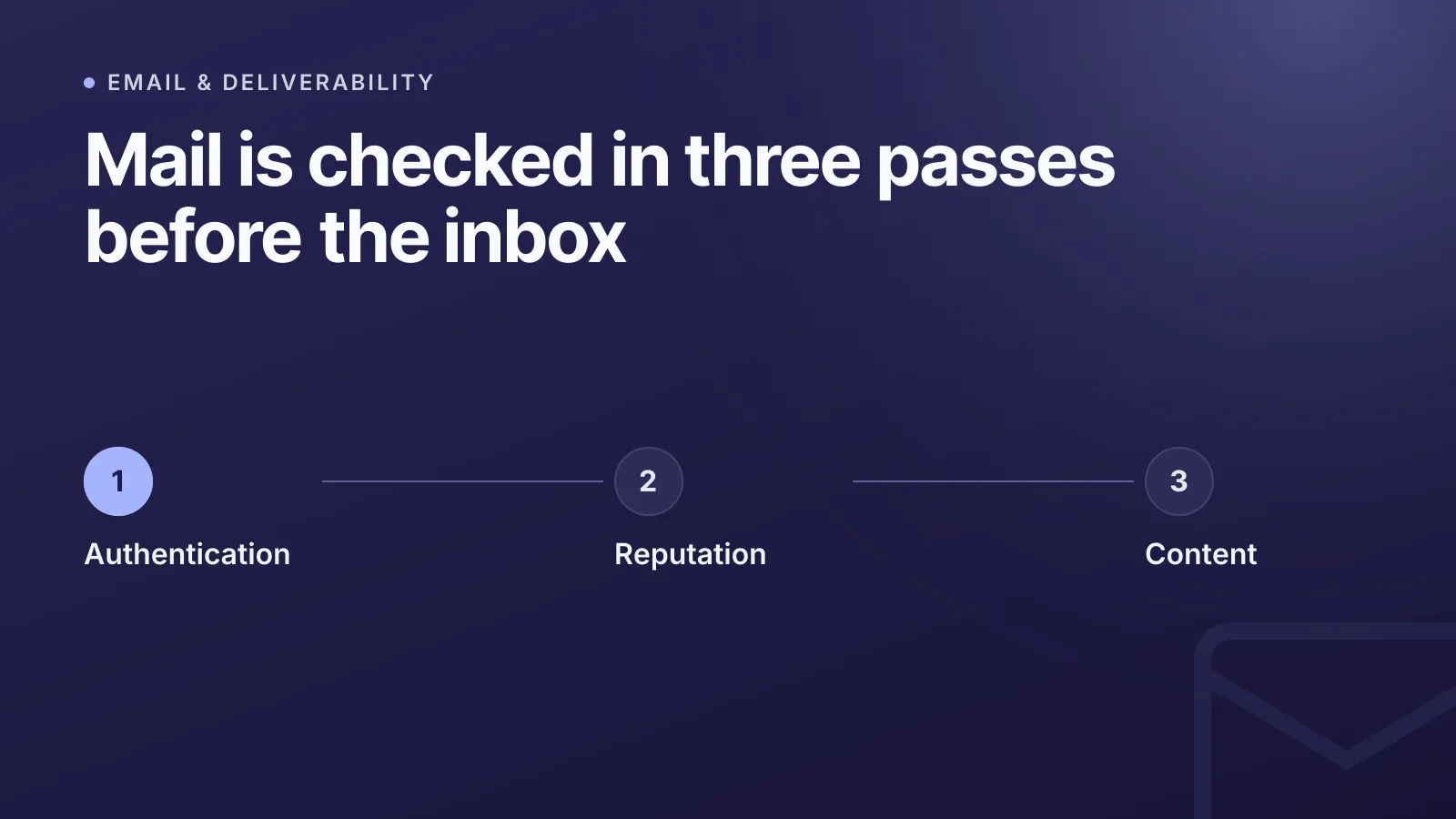
Die meisten E-Mails landen aus einem von drei Gründen im Spam: Die Domain besteht die Authentifizierungsprüfungen (SPF/DKIM/DMARC) nicht, die sendende IP oder Domain hat eine schlechte Reputation, oder der Inhalt der Nachricht löst Spamfilter aus. Mailbox-Anbieter wie Gmail und Outlook.com bewerten jede Nachricht nach allen drei Kriterien, bevor sie entscheiden, wo sie landet. Ein Fehler in nur einem davon reicht oft schon aus, damit die Mail direkt im Junk-Ordner verschwindet.
Dieser Leitfaden geht jede Ursache und die konkrete Lösung durch, und zwar in der Reihenfolge, in der Mailbox-Anbieter sie tatsächlich prüfen.
Fehlende Authentifizierung: die häufigste Ursache für Spam
Wenn deine Domain kein SPF, DKIM und DMARC veröffentlicht – oder diese falsch konfiguriert sind –, startest du bei jedem Versand mit einem Minuspunkt. Das ist die größte behebbare Ursache dafür, dass E-Mails im Spam landen.
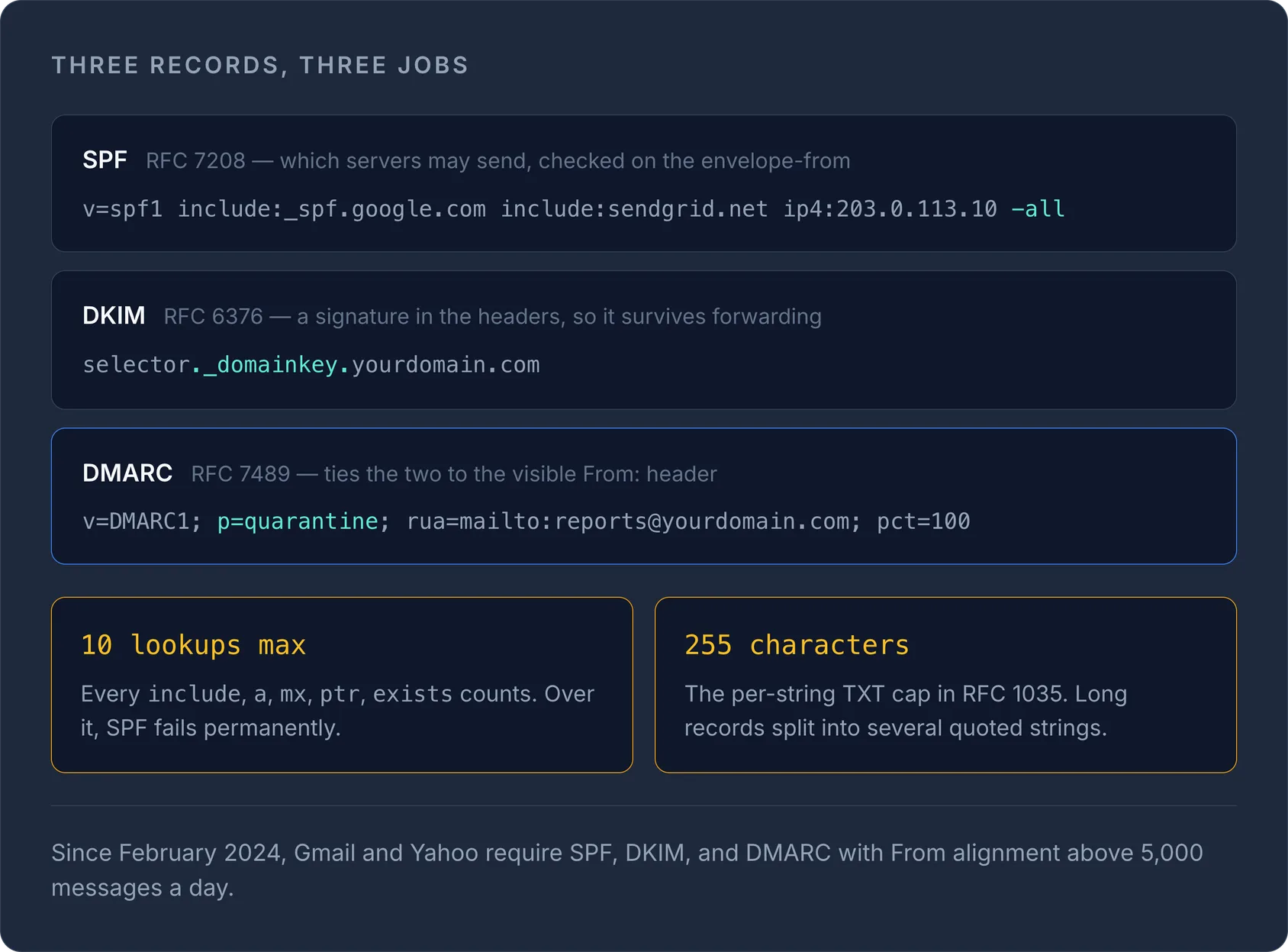
SPF (Sender Policy Framework), definiert in RFC 7208, ist ein DNS-TXT-Eintrag, der auflistet, welche Server im Namen deiner Domain Mails versenden dürfen. Der empfangende Server gleicht die Envelope-From-Adresse damit ab. Ein typischer Eintrag sieht so aus:
v=spf1 include:_spf.google.com include:sendgrid.net ip4:203.0.113.10 -all
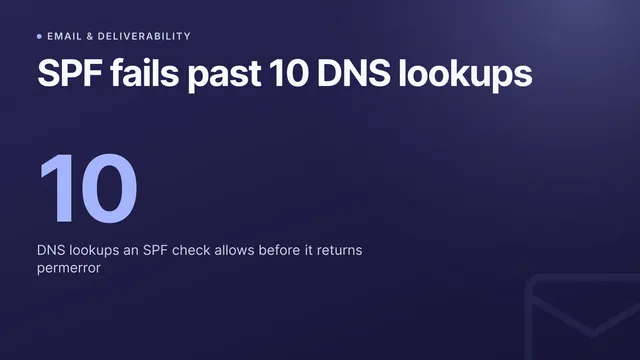
Zwei Stolperfallen erwischen ständig Leute: SPF erlaubt maximal 10 DNS-Lookups (jeder include-, a-, mx-, ptr- und exists-Mechanismus zählt), und wird diese Grenze überschritten, entsteht ein permanenter Fehler, durch den die Prüfung komplett fehlschlägt. Außerdem ist ein einzelner TXT-String laut RFC 1035 auf 255 Zeichen begrenzt, lange SPF-Einträge müssen also innerhalb desselben Eintrags in mehrere Strings in Anführungszeichen aufgeteilt werden. Prüfe deinen Eintrag mit unserem kostenlosen SPF-Generator oder lies die ausführliche Anleitung, wie du einen sicheren SPF-Eintrag erstellst.
DKIM (DomainKeys Identified Mail), RFC 6376, fügt ausgehenden Mails eine kryptografische Signatur hinzu, die anhand eines öffentlichen Schlüssels unter selector._domainkey.yourdomain.com verifiziert wird. Anders als SPF übersteht DKIM eine einfache Weiterleitung, weil die Signatur mit den Nachrichten-Headern mitreist und nicht am Envelope hängt.
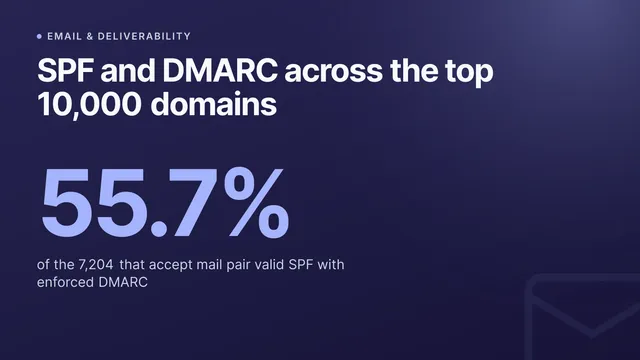
DMARC (Domain-based Message Authentication, Reporting & Conformance), RFC 7489, verbindet beides. DMARC verlangt, dass die Domain im sichtbaren From:-Header mit der SPF- oder der DKIM-Domain übereinstimmt (Alignment), und erlaubt dir, eine Richtlinie zu veröffentlichen, die Empfängern sagt, was mit fehlgeschlagenen Mails passieren soll:
v=DMARC1; p=quarantine; rua=mailto:reports@yourdomain.com; pct=100
TipStarte DMARC mit
p=none, um aggregierte Berichte zu sammeln, ohne die Zustellung zu beeinflussen. Wechsle dann zuquarantineoderreject, sobald du bestätigt hast, dass alle legitimen Absender die Prüfung bestehen. Erstelle den Eintrag korrekt mit unserem DMARC-Generator.
Seit Februar 2024 verlangen Google und Yahoo von jedem Absender gültiges SPF und DKIM sowie DMARC (mindestens p=none) mit From-Header-Alignment von allen, die täglich 5.000+ Nachrichten an ihre Nutzer senden. Unterhalb dieser Schwelle wird das nicht strikt durchgesetzt – Domains ganz ohne DMARC-Eintrag werden aber zunehmend standardmäßig als verdächtig eingestuft.
Absenderreputation: was nach bestandener Authentifizierung zählt
Wer SPF, DKIM und DMARC besteht, kommt durch die Tür. Was danach passiert, hängt von der Reputation ab – einem Wert, den Mailbox-Anbieter pro sendender IP und pro Domain anhand des tatsächlichen Empfängerverhaltens aufbauen.
Wichtige Reputationssignale sind:
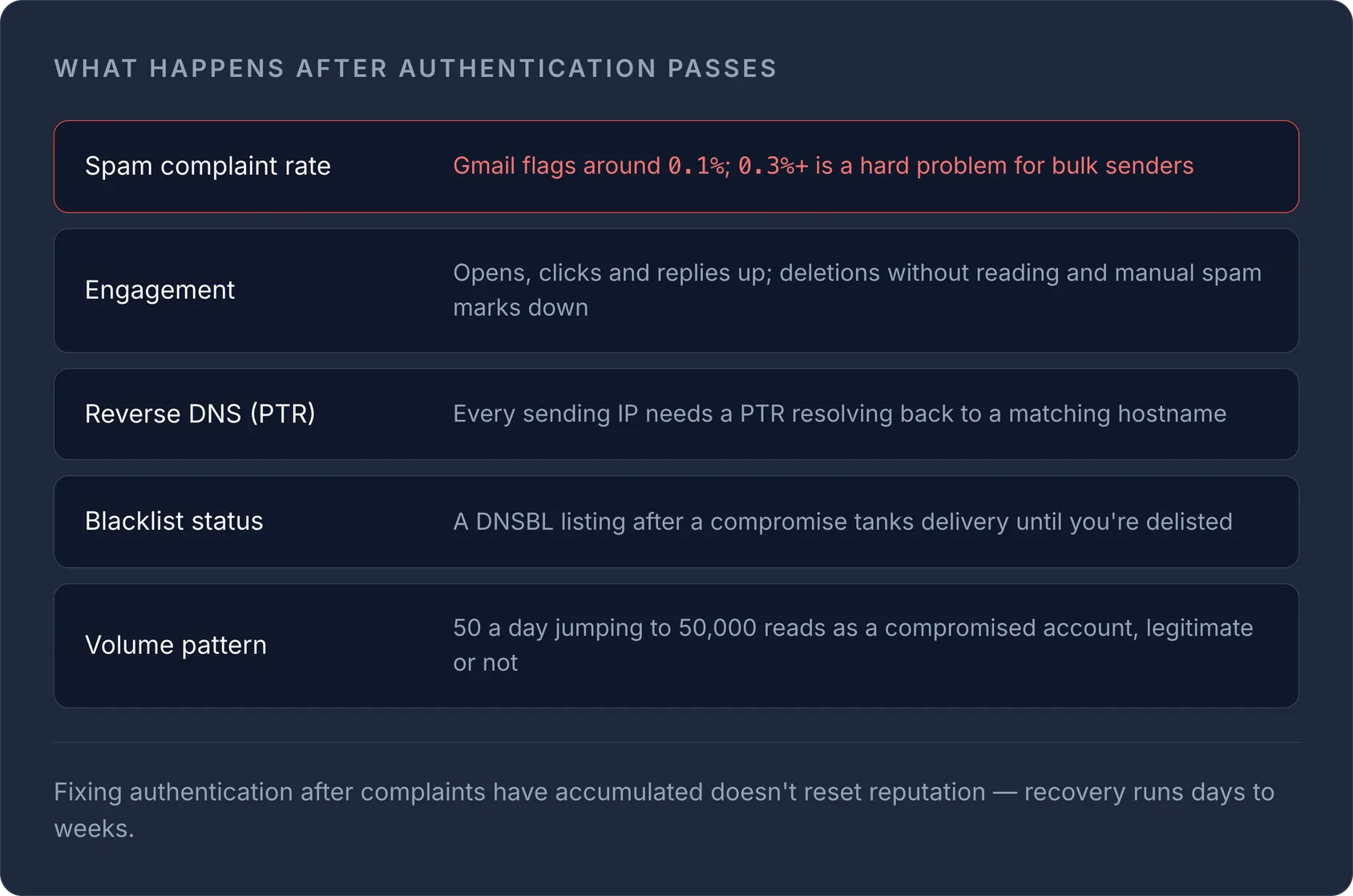
- Spam-Beschwerderate. Die Gmail Postmaster Tools markieren alles über etwa 0,1 % als bedenklich und werten 0,3 %+ bei Massenversendern als ernstes Problem.
- Engagement. Öffnungen, Klicks, Antworten und – negativ – ungelesenes Löschen oder manuelles „Als Spam markieren“ fließen in den Wert ein.
- Forward- und Reverse-DNS. Sendende IPs brauchen einen gültigen PTR-Eintrag (Reverse DNS), der auf einen Hostnamen zurückverweist, der zur sendenden Domain passt. Fehlende oder nicht übereinstimmende PTR-Einträge sind nach Gmails Regeln für Massenversender ein sofortiges Warnsignal.
- Blacklist-Status. Wer nach einem kompromittierten Server oder geleakten Zugangsdaten auf einer großen DNS-Blackhole-Liste (DNSBL) landet, hat eine miserable Zustellbarkeit, bis die Domain wieder gelistet ist.
- Gleichmäßiges Versandverhalten. Eine Domain, die plötzlich von 50 auf 50.000 E-Mails pro Tag springt, sieht nach einem kompromittierten Konto oder einer Spam-Kampagne aus, selbst wenn der Inhalt legitim ist.
Wenn du deinen eigenen Mailserver oder eine neue Versanddomain betreibst, wärme sie schrittweise auf und überwache die Gmail Postmaster Tools und Microsoft SNDS, statt zu raten. Reverse-DNS- und PTR-Einträge liegen in derselben DNS-Zone wie alles andere – prüfe deine mit unserem DNS-Lookup-Tool oder überblicke deine gesamte Zone mit der DNS-Verwaltung.
Inhalt und Formatierung: die letzte Prüfung des Spamfilters
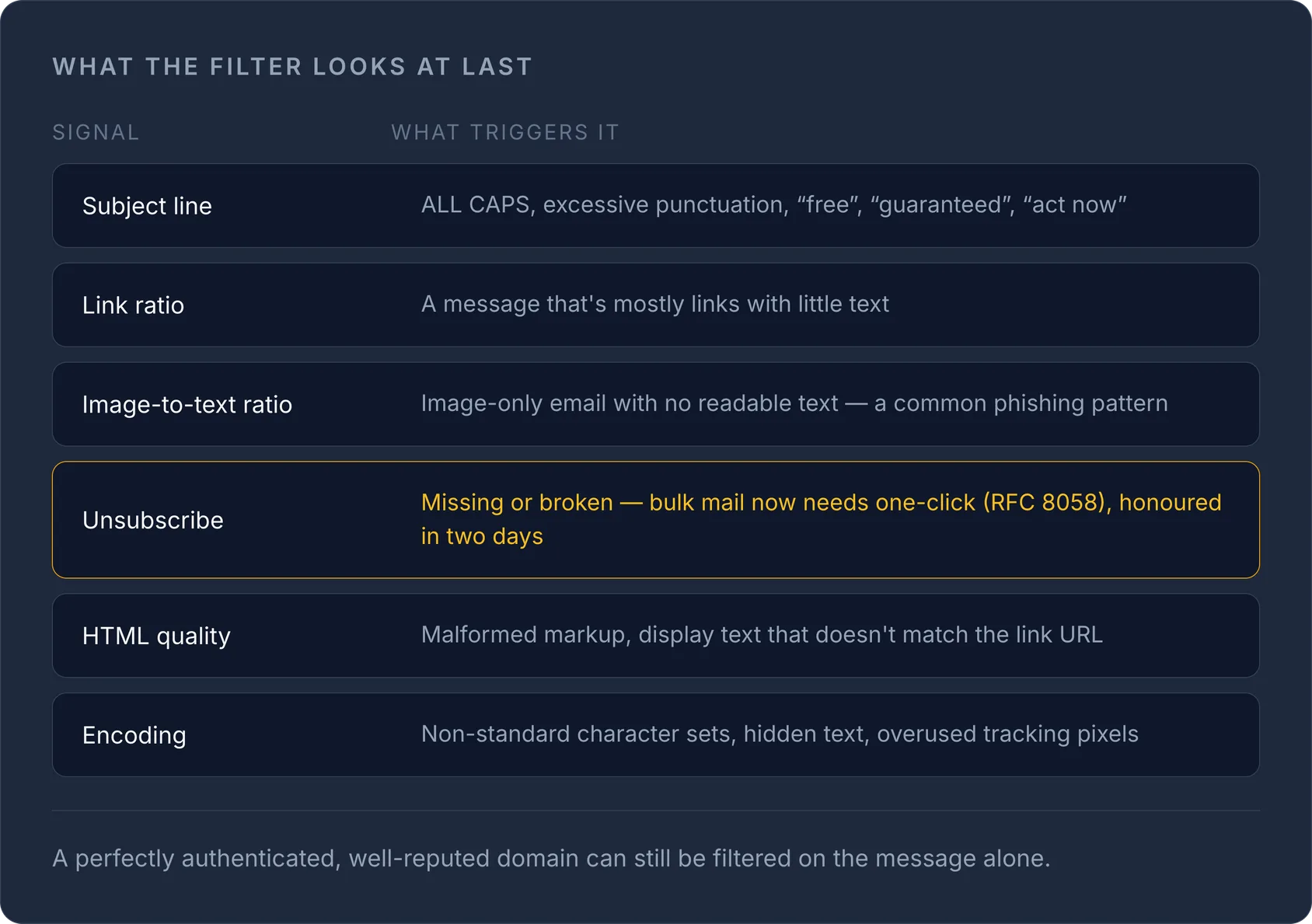
Selbst eine perfekt authentifizierte Domain mit guter Reputation kann markiert werden, wenn die Nachricht selbst nach Spam aussieht. Filter achten auf:
| Signal | Was es auslöst |
|---|---|
| Betreffzeile | DURCHGEHENDE GROSSBUCHSTABEN, übermäßige Satzzeichen, „kostenlos“, „garantiert“, „jetzt handeln“ |
| Link-Anteil | Eine Nachricht, die fast nur aus Links und kaum aus Text besteht |
| Bild-Text-Verhältnis | Reine Bild-E-Mails ohne lesbaren Text (typisches Phishing-Muster) |
| Abmeldemöglichkeit | Fehlender oder defekter Abmeldelink |
| HTML-Qualität | Fehlerhaftes HTML, angezeigter Text passt nicht zur Link-URL |
| Kodierung | Nicht standardkonforme Zeichensätze, versteckter Text, übermäßig viele unsichtbare Tracking-Pixel |
Für Massen- und Marketing-Mails verlangen Gmail und Yahoo inzwischen einen One-Click-Unsubscribe-Header (RFC 8058), dessen Abmeldungen innerhalb von zwei Tagen umgesetzt werden müssen. Wer Marketing-Mails ohne ihn verschickt – selbst von einer perfekt authentifizierten Domain –, riskiert eher, im Spam zu landen oder komplett blockiert zu werden.
WarningWenn du die Authentifizierung erst korrigierst, nachdem sich bei einer Domain bereits Spam-Beschwerden angesammelt haben, wird die Reputation nicht sofort zurückgesetzt. Rechne mit einer schrittweisen Erholung über Tage bis Wochen, nicht mit einer sofortigen Lösung.
Checkliste gegen E-Mails im Spam
- Stelle sicher, dass SPF, DKIM und DMARC vorhanden sind und bestanden werden – prüfe das mit dem DNS-Lookup oder dem MX-Lookup für mailspezifische Einträge.
- Achte darauf, dass deine DMARC-Richtlinie eine übereinstimmende Domain und eine Berichtsadresse hat, damit du Fehlschläge sehen kannst.
- Richte Reverse DNS (PTR) für jede sendende IP ein.
- Behalte die Spam-Beschwerderate in den Gmail Postmaster Tools oder Microsoft SNDS im Blick und halte sie unter 0,1 %.
- Füge jedem Massen- oder Marketing-Versand One-Click-Unsubscribe hinzu.
- Vermeide plötzliche Volumensprünge von einer kalten Domain oder IP.
Die meisten Zustellbarkeitsprobleme gehen auf einen einzigen fehlenden oder falsch konfigurierten DNS-Eintrag zurück. Wenn du SPF, DKIM, DMARC und MX über mehrere Domains und Registrare hinweg verwaltest, macht es eine zentrale DNS-Verwaltung in einem Dashboard viel einfacher, einen fehlerhaften Eintrag zu entdecken, bevor er dich die Zustellung in den Posteingang kostet – sieh dir an, wie das mit der InfraNest DNS-Verwaltung funktioniert.
Häufig gestellte Fragen
#Kann ich verhindern, dass E-Mails im Spam landen, ohne DNS-Einträge zu ändern?
Nein – Authentifizierungsfehler durch fehlende oder falsch konfigurierte SPF-, DKIM- oder DMARC-Einträge sind ein Problem auf DNS-Ebene und lassen sich nur beheben, indem du die Einträge selbst korrigierst.
#Wie lange dauert es, bis sich die Absenderreputation nach Behebung der Ursache erholt?
Die Reputation erholt sich in der Regel schrittweise über einige Tage bis wenige Wochen und nicht sofort, da Mailbox-Anbieter das Vertrauen anhand des fortlaufenden Versandverhaltens wieder aufbauen, nicht aufgrund einer einzelnen Korrektur.
#Brauche ich DMARC, wenn ich nur wenige E-Mails versende?
Unterhalb der Schwelle von 5.000 Nachrichten pro Tag, ab der die Regeln von Gmail und Yahoo für Massenversender greifen, ist es nicht zwingend vorgeschrieben. Einen DMARC-Eintrag mit mindestens p=none zu veröffentlichen, ist aber gute Praxis und kostet nichts.
#Warum besteht meine E-Mail SPF und DKIM, landet aber trotzdem im Spam?
Die Authentifizierung beweist nur, dass die Nachricht nicht gefälscht ist – sie garantiert keine Zustellung in den Posteingang. Die hängt zusätzlich von der Absenderreputation und von Inhaltssignalen wie Spam-Beschwerderate und Link-Anteil ab.
Mit einem kostenlosen Tool ausprobieren
War dieser Artikel hilfreich?