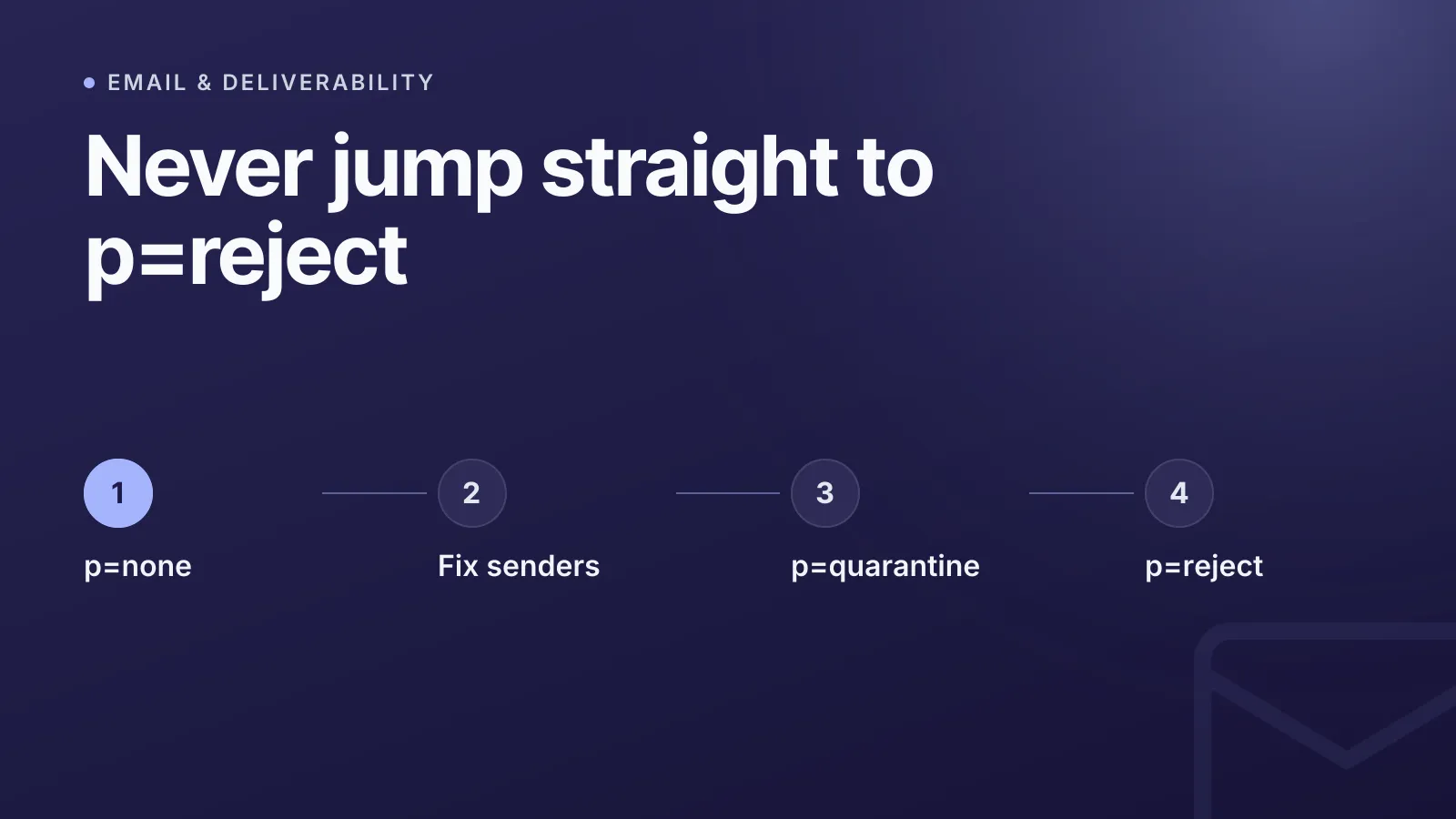
Start every DMARC (Domain-based Message Authentication, Reporting, and Conformance) rollout at p=none, watch the aggregate reports for a few weeks, then step up to p=quarantine and finally p=reject once you're confident every legitimate sending source passes. Jumping straight to p=reject is the single most common way teams accidentally block their own transactional or marketing mail. The policy tag itself is simple; the discipline of progressing through it safely is where most DMARC deployments go wrong.
What DMARC actually checks
DMARC, defined in RFC 7489, doesn't authenticate a message on its own — it sits on top of SPF (Sender Policy Framework) and DKIM (DomainKeys Identified Mail) and tells receiving mail servers what to do when both fail. A message passes DMARC when at least one of SPF or DKIM passes and is in alignment with the domain shown in the visible From: header. Alignment matters more than people expect: an SPF pass on a different sending domain, or a DKIM signature from an unrelated domain, doesn't count.
A DMARC record is a TXT record published at _dmarc.yourdomain.com. Here's a minimal example:
_dmarc.example.com. IN TXT "v=DMARC1; p=none; rua=mailto:dmarc-reports@example.com; ruf=mailto:dmarc-forensic@example.com; fo=1"
If you haven't set up SPF yet, do that first — see our guide on how to create a secure SPF record — since DMARC without any authenticated sending path won't protect anything.
p=none vs quarantine vs reject
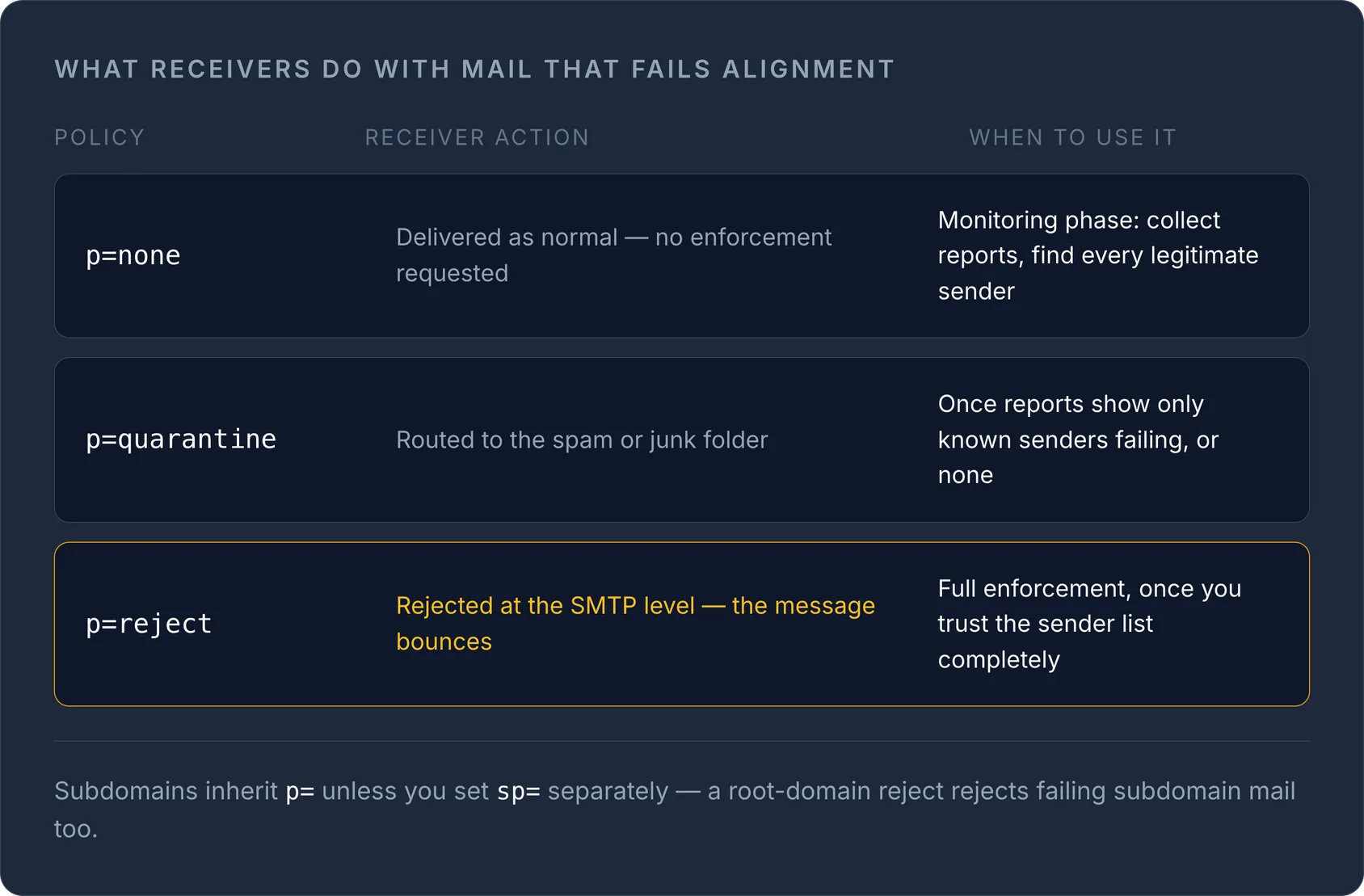
The p= tag sets the policy receivers are asked to apply to messages that fail DMARC alignment. There's also an sp= tag for subdomains, which inherits p= if you don't set it separately.
| Policy | What receivers do with failing mail | When to use it |
|---|---|---|
p=none |
Deliver as normal, no enforcement | Monitoring phase — collect reports, find every legitimate sender |
p=quarantine |
Route to spam/junk folder | After reports show only known senders failing (or none) |
p=reject |
Reject at the SMTP level (bounced) | Full enforcement, once you trust the sender list completely |
p=none is genuinely monitoring-only: it requests no enforcement action, so it can't break deliverability, but it also gives spoofers no resistance. p=quarantine and p=reject are where DMARC starts doing real anti-phishing work — they're also the settings that will bite you if a forgotten marketing platform or invoicing tool sends mail from your domain without passing SPF/DKIM alignment.
WarningIf you don't set
sp=, subdomains inherit your top-levelp=value. Ap=rejecton the root domain also rejects failing mail from every subdomain unless you override it — audit subdomains before enforcing.
Why you need reporting before you enforce anything
The rua= tag specifies where aggregate XML reports are sent, and ruf= (less commonly supported) specifies where forensic/failure reports go. Aggregate reports are the ones that matter for rollout: they list every source IP sending mail claiming to be from your domain, and whether it passed or failed SPF/DKIM alignment.
Without reports, moving from none to quarantine or reject is a guess. With them, it's a checklist:
- Every legitimate mail stream (transactional service, marketing platform, helpdesk, internal relay) appears in the reports as passing.
- Any unfamiliar source is either identified and fixed, or genuinely unauthorised and safe to block.
- No high-volume legitimate sender is failing alignment because of a misconfigured SPF include or missing DKIM signing.
Most report processors are third-party dashboards since the raw XML is painful to read by hand — but even eyeballing a few weeks of reports for large agencies or founders running a handful of domains can be enough to spot a rogue sender.
How to progress from none to reject safely
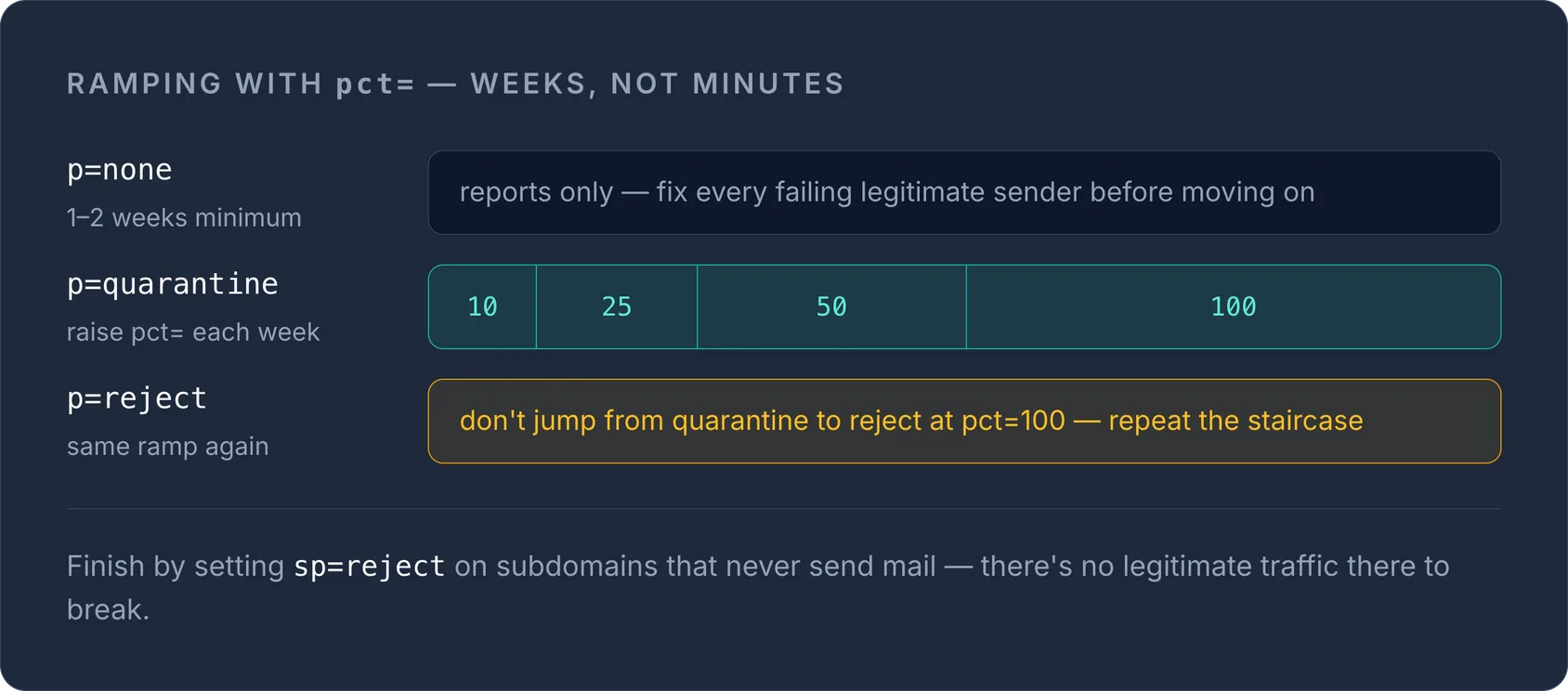
A staged rollout, spread over several weeks, is the standard approach:
- Publish
p=nonewithrua=set. Let reports accumulate for at least 1–2 weeks — longer if you send email in monthly batches or through infrequent platforms (invoicing, HR systems). - Fix any failing legitimate sender. Add missing SPF includes, enable DKIM signing on the platform, or ensure the
From:domain matches what SPF/DKIM actually authenticate. - Move to
p=quarantinewith a lowpct=. Thepct=tag applies the policy to only a percentage of failing messages (default 100 if omitted), sop=quarantine; pct=10enforces on roughly one in ten failing messages — a safety net while you confirm nothing legitimate gets caught. - Raise
pct=gradually to 25, 50, then 100 over successive weeks, watching reports at each step. - Repeat the same staged process for
p=rejectrather than jumping straight from quarantine to full reject. - Set
sp=explicitly once the root domain is enforced, especially for subdomains that never send mail — reject is the right call there since there's no legitimate traffic to break.
TipUse our free DMARC generator to build the record with the correct tag order and syntax — a single malformed
v=or missing semicolon will cause receivers to ignore the record entirely, silently leaving you at no protection.
Alignment mode: relaxed or strict
Two more tags shape how strict the matching is: adkim= for DKIM alignment and aspf= for SPF alignment. Relaxed (r, the default) accepts a match at the organisational domain level — mail.example.com aligns with example.com. Strict (s) requires an exact match. Relaxed is the safer default for most setups; strict is worth considering once you're at p=reject and want to close a subdomain-spoofing gap.
Do mailbox providers require reject?
No major mailbox provider mandates p=reject. Google and Yahoo's bulk-sender requirements ask for a published DMARC record at minimum p=none alignment, and Microsoft's guidance similarly recommends progressing toward quarantine/reject over time rather than requiring it outright. That said, p=none alone does nothing to stop spoofing — it's a reporting mechanism, not a defence. Treat it as step one of a rollout, not the destination.
Keeping DMARC in sync with the rest of your DNS
DMARC, SPF and DKIM records all live in DNS as TXT records, alongside your MX and CAA entries — worth reviewing our complete DNS record types guide if you're auditing a domain's full mail setup. Managing these records is easier when your zones for every domain sit in one place instead of scattered across registrar consoles.
Ready to tighten your policy? Manage the record with our DNS management tools alongside the rest of your zone, and use the DMARC generator to draft your next p= step correctly.
Frequently asked questions
#What does p=none actually do in DMARC?
It requests no enforcement action from receivers — failing mail is delivered normally — while aggregate reports (via rua=) let you see every source sending as your domain before you tighten the policy.
#Is it safe to go straight to p=reject?
Only if you've already confirmed via aggregate reports that every legitimate sending source passes SPF or DKIM in alignment; otherwise a forgotten platform's mail will be rejected outright, so a staged rollout using pct= is much safer.
#What's the difference between rua and ruf?
rua= specifies where aggregate XML summary reports are sent (used for monitoring rollout), while ruf= specifies where individual forensic failure reports go, though ruf support varies by receiver and is less universally implemented.
#Does sp= need to be set separately from p=?
If sp= is omitted, subdomains inherit the top-level p= policy, so it's worth setting sp= explicitly once you enforce reject, particularly for subdomains that never send mail.
Try it with a free tool
Was this article helpful?