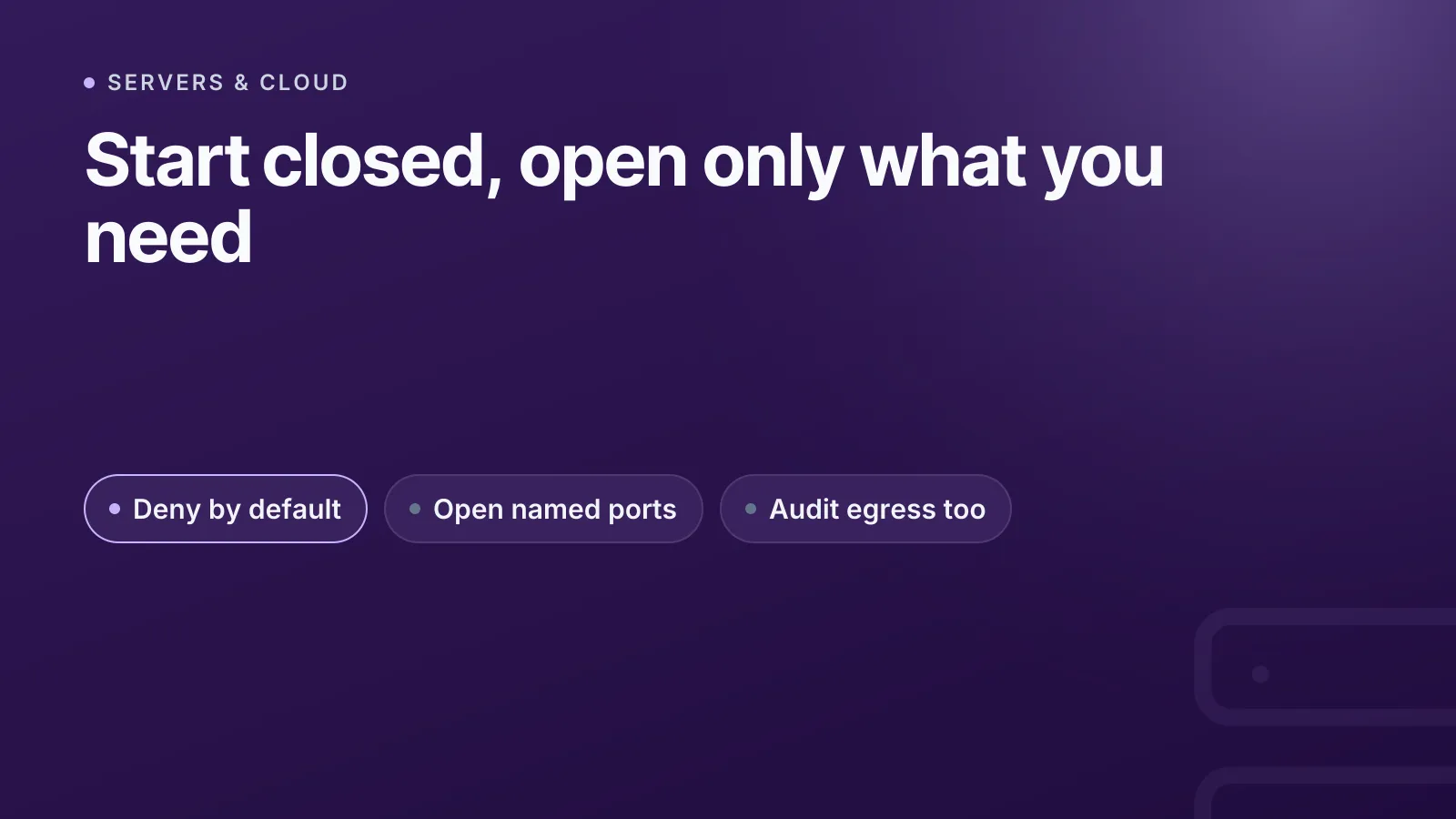
A cloud firewall rule is a statement that matches traffic on a 5-tuple — source address, destination address, protocol, source port and destination port — and either allows or drops it. The single most important decision you make with any firewall is the default policy: deny everything by default, then explicitly allow only what you need. Everything else in this post is detail layered on top of that one rule.
What a firewall rule actually matches on
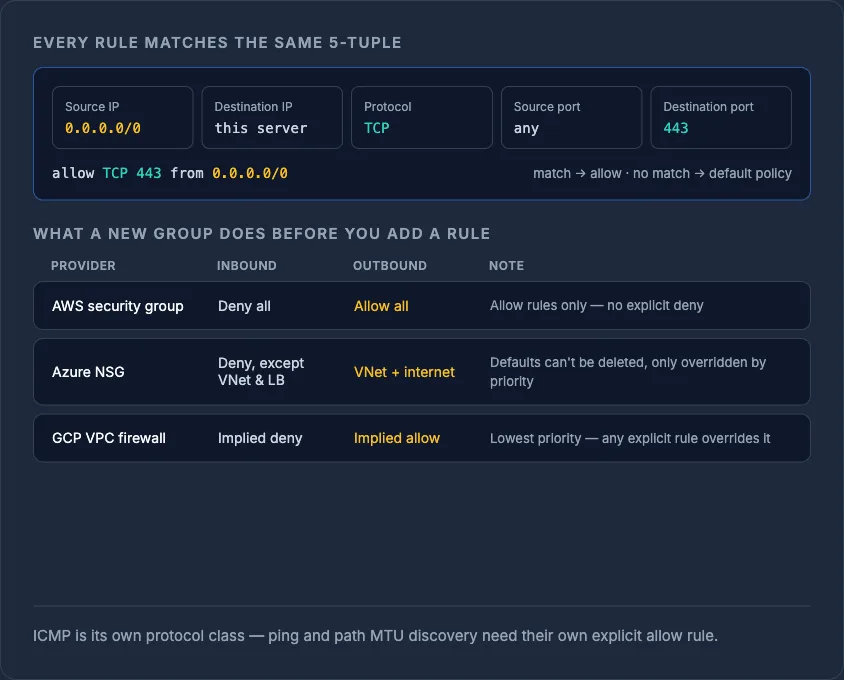
Every packet has a source IP, destination IP, a protocol number (TCP, UDP, ICMP, and so on), and — for TCP and UDP — a source and destination port. Cloud firewalls (AWS security groups, Azure NSGs, GCP VPC firewall rules) all evaluate rules against this same 5-tuple, even though the interfaces look different. When you write a rule like "allow TCP 443 from 0.0.0.0/0", you're telling the firewall to match any packet with protocol TCP, destination port 443, and any source address.
ICMP (the protocol behind ping and path MTU discovery) is often treated as its own class, separate from TCP/UDP, so it needs its own explicit allow rule if you want diagnostics like ping to work through the firewall.
Default-deny vs default-allow
Default-deny means: if no rule matches the traffic, it's dropped. Default-allow means the opposite — anything not explicitly blocked gets through. Default-deny is the accepted best practice for inbound traffic on every major cloud, because it means a forgotten or misconfigured service is unreachable by default rather than exposed by default.
Most providers already default new firewall groups to deny-all inbound and allow-all outbound:
- AWS security groups — new custom groups deny all inbound by default, allow all outbound by default, and only support allow rules (no explicit deny; unmatched traffic is implicitly dropped).
- Azure NSGs — ship with default rules that allow VNet-to-VNet and load-balancer traffic, deny everything else inbound, and allow outbound to the VNet and internet. These defaults can't be deleted but can be overridden by a higher-priority custom rule.
- GCP VPC firewall rules — every network has an implied allow-all-egress rule and an implied deny-all-ingress rule at the lowest priority, which your explicit higher-priority rules override.
The practical takeaway: don't rely on "it was probably fine to leave that open" — start closed, and open ports one at a time as services need them.
Inbound vs outbound: why both directions matter
Inbound rules control what can reach your server. Outbound (egress) rules control what your server can reach on the internet. Most people spend all their time on inbound and ignore outbound entirely — which is a mistake, because unrestricted egress is exactly what lets a compromised server exfiltrate data or call out to a command-and-control host.
Whether you need to write separate rules for both directions depends on whether the firewall is stateful or stateless:
- Stateful firewalls (AWS security groups, Azure NSGs, GCP VPC rules for established connections) track the connection using TCP flags (SYN, ACK, FIN). Allow one inbound request and the matching response traffic is automatically permitted back out — you don't need a mirror rule.
- Stateless firewalls (AWS network ACLs are the classic example) evaluate every packet independently in numbered order, so you must write explicit rules for both the request and the reply, including high ephemeral return ports.
UDP has no connection state at all (it's connectionless by design), so firewalls that claim to track UDP "sessions" are really using timeouts and heuristics, not a true state table like TCP's.
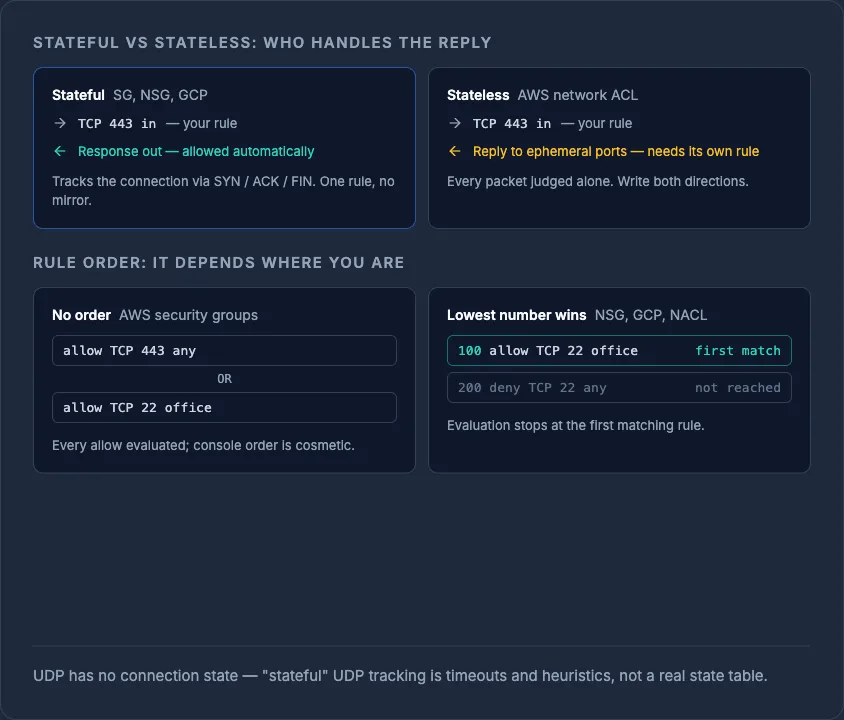
NoteAWS security groups only support allow rules and are OR'd together with no ordering — there's no such thing as rule priority. Network ACLs, Azure NSGs and GCP firewall rules all use numbered priority instead, where a lower number wins.
The ports people leave open by accident
Most avoidable breaches trace back to a handful of predictable mistakes, not zero-days. Common culprits:
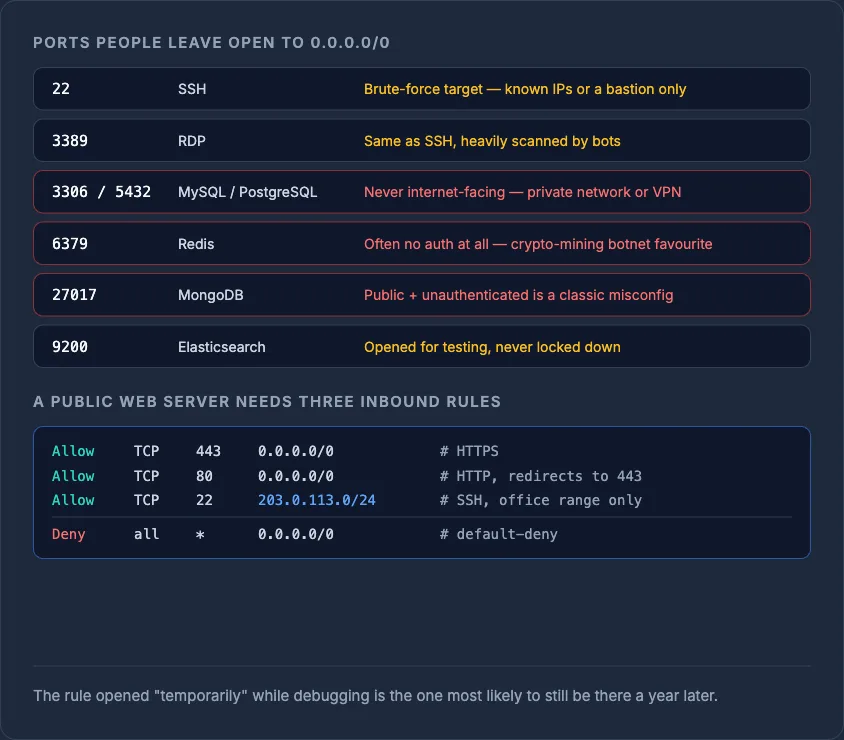
| Port | Service | Why it's a risk left open to 0.0.0.0/0 |
|---|---|---|
| 22 | SSH | Brute-force target; should be restricted to known IPs or a bastion |
| 3389 | RDP | Same issue as SSH, heavily scanned by bots |
| 3306 / 5432 | MySQL / PostgreSQL | Databases should never be internet-facing; use a private network or VPN |
| 6379 | Redis | Frequently deployed with no auth at all; a favourite target for crypto-mining botnets |
| 27017 | MongoDB | Same pattern as Redis — public + unauthenticated is a common misconfiguration |
| 9200 | Elasticsearch | Often exposed during testing and never locked down afterwards |
The fix is almost always the same: scope the rule's source to your office IP, a VPN range, or a private subnet instead of 0.0.0.0/0, or put the service behind a bastion host and remove the public rule entirely. A rule that's "temporarily" open during a debugging session is the one most likely to still be there a year later.
A worked example: locking down a web server
A typical public web server only needs three inbound allow rules, with everything else denied by default:
Allow  TCP  443  from 0.0.0.0/0      # HTTPS
Allow  TCP  80   from 0.0.0.0/0      # HTTP (redirect to 443)
Allow  TCP  22   from 203.0.113.0/24 # SSH, office range only
Deny   all  *    from 0.0.0.0/0      # implicit or explicit default-deny
Outbound can usually stay more open (allow-all egress is common for web servers that need to call external APIs, fetch updates, or send outbound mail), but if the server has no business talking to arbitrary hosts, restrict egress too — that's what actually limits the blast radius if the box is ever compromised.
How rule evaluation order differs by provider
This trips people up more than anything else: AWS security groups have no order at all — every allow rule is evaluated independently and the results are OR'd together, so rule order in the console is cosmetic. Azure NSGs and GCP firewall rules, by contrast, use a numeric priority where the lowest number wins and evaluation stops at the first match. AWS network ACLs behave the same way — numbered, first-match, stop. If you're used to one provider's model and move to another, this is the detail that causes the most confusion, so check it explicitly rather than assuming.
Keeping rules consistent across providers
Running workloads across AWS, Azure, GCP and a couple of VPS providers means firewall logic gets duplicated in three or four different consoles, each with its own quirks around defaults, priorities and rule limits. That's exactly the kind of drift that leaves a stale rule open on one provider long after it's been cleaned up everywhere else — see infrastructure drift explained for how that happens in practice. InfraNest's firewall management gives you one place to define and audit rules across every cloud server you run, so a default-deny posture is something you can actually verify, not just assume.
If you're setting up a new server today, start from a default-deny inbound policy, open only the ports you can name a reason for, and audit egress at least once — it's the direction almost everyone forgets. Take a look at cloud server firewalls to manage that consistently across providers.
Frequently asked questions
#What's the difference between a stateful and stateless firewall?
A stateful firewall tracks connection state using TCP flags, so allowing inbound traffic automatically permits the matching return traffic without a separate rule. A stateless firewall, like AWS network ACLs, evaluates every packet independently and needs explicit rules for both directions.
#Should outbound (egress) traffic be restricted too?
Yes — unrestricted egress is what lets a compromised server exfiltrate data or contact a command-and-control host, so restricting outbound rules to only the destinations a service genuinely needs limits the damage if it's ever breached.
#Why shouldn't I expose a database port like 3306 or 5432 to the internet?
Databases are common targets for automated scanning and brute-force attacks, and many breaches trace back to a database port left open to 0.0.0.0/0. Keep database access on a private network, VPN, or restricted IP range instead.
#Does rule order matter in cloud firewalls?
It depends on the provider: AWS security groups have no order (all allow rules are OR'd together), while Azure NSGs, GCP firewall rules, and AWS network ACLs all use numbered priority with first-match evaluation, so order matters there.
Try it with a free tool
Was this article helpful?