Infrastructure drift is any gap between what your configuration says should exist and what's actually running. The fix isn't preventing every manual change — it's catching drift fast, before it becomes an outage or a security gap, and that means combining drift detection with real alerting, not just a dashboard you have to remember to check.
Drift happens more than most teams admit. Someone edits an A record directly in a registrar's console to unblock a deploy on a Friday. A contractor adds a firewall rule during an incident and forgets to document it. A cloud provider auto-migrates a resource and quietly changes its IP. None of these show up in your Git history, and none of them trigger a pull request review — they just sit there until something breaks.
What is infrastructure drift, exactly?
Drift is the difference between your declared state (a Terraform file, a DNS zone export, a CloudFormation template) and the live state of the actual resource. Infrastructure-as-code (IaC) tools like Terraform and Pulumi detect it by re-reading the real resource and diffing it against the last-known state file — terraform plan -refresh-only and pulumi refresh both exist specifically for this: they report what changed in reality without proposing to overwrite it back.
DNS drift is a special, high-risk case of this problem. Your zone file, your IaC repo, or your ticket history says a record should point one place — but the authoritative nameserver says something else. Because DNS sits in front of almost everything (mail, the website, API endpoints, SPF/DKIM alignment), a drifted record is rarely cosmetic. It's usually the first symptom of a bigger problem: a compromised registrar account, a stale migration step, or a well-meaning engineer working around a broken pipeline instead of fixing it.
Why out-of-band changes are the ones that hurt
Any change made through your IaC pipeline is reviewed, logged and reversible. Out-of-band changes — made directly in a provider console, a registrar dashboard, or via a support ticket — skip all of that. They're invisible until someone notices the symptom (mail bouncing, a certificate mismatch, a subdomain resolving somewhere unexpected).
WarningA changed MX or CNAME record can look completely fine in your repo and still be wrong in production, because DNS state lives with the registrar or DNS host, not in your code. If you only ever check your source of truth, you'll never see drift that happens downstream of it.
Common out-of-band drift scenarios worth watching for:
- A TTL (time to live) quietly extended during an incident and never reverted, slowing down your next legitimate change.
- A CNAME or A record repointed by a third-party integration (a CDN, an email platform) without a corresponding update to your zone documentation.
- An SPF or DKIM TXT record edited by a marketing tool, silently breaking alignment and hurting deliverability.
- A subdomain left behind after a service was decommissioned, now vulnerable to subdomain takeover.
- A certificate reissued on a different provider, changing the chain your monitoring expects to see.
For a refresher on what each record type actually controls, see the complete DNS record types guide.
How drift detection actually works
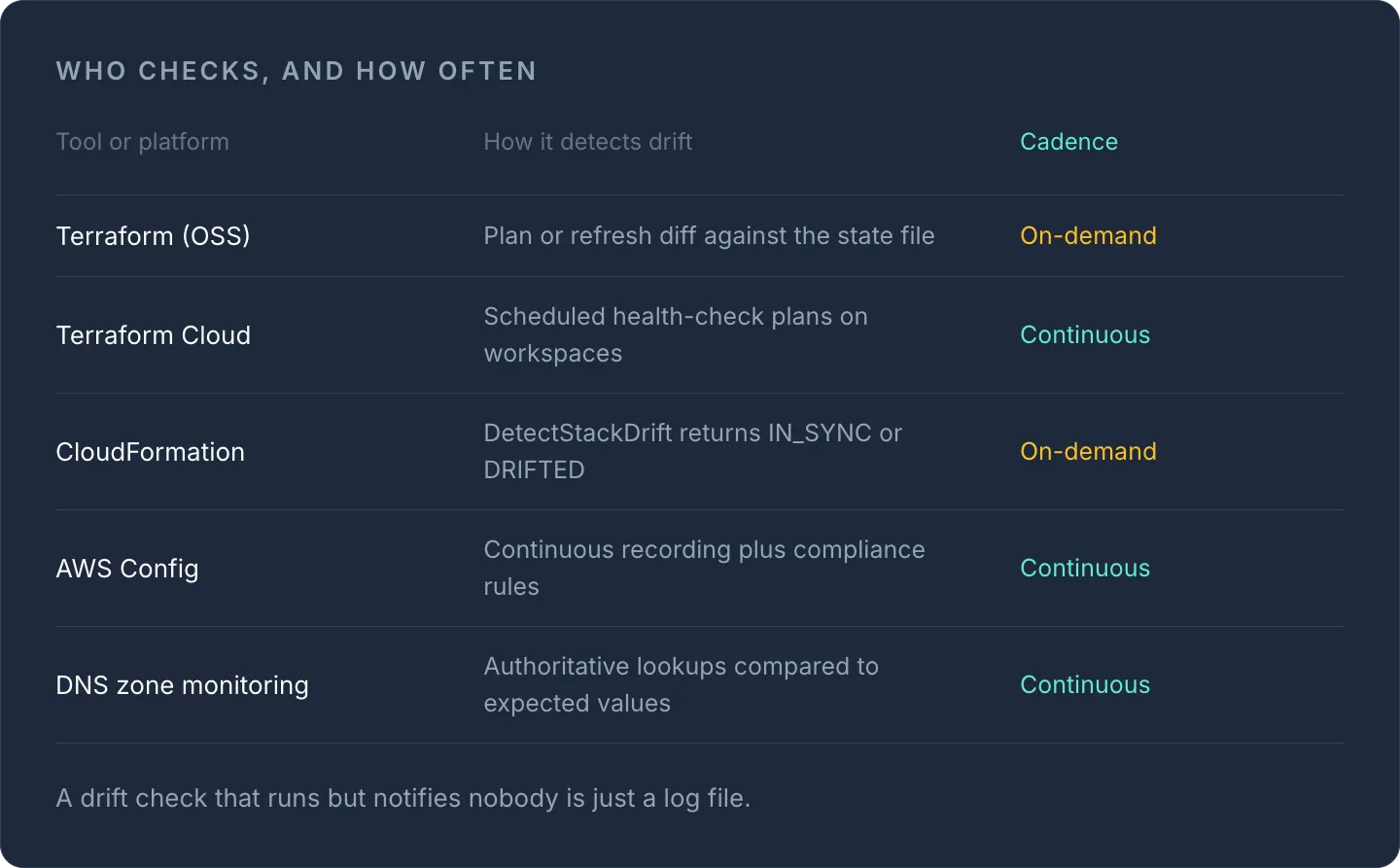
Most drift detection follows the same basic loop, whether it's applied to a cloud stack or a DNS zone: capture the current desired state, periodically re-read the live state, diff the two, and alert on any difference. The details vary by platform:
| Tool/platform | How it detects drift | Continuous or on-demand? |
|---|---|---|
| Terraform (OSS) | plan/refresh diff against state file |
On-demand, run manually or on a schedule |
| Terraform Cloud/Enterprise | Scheduled health-check plans on workspaces | Continuous (paid tier) |
| AWS CloudFormation | DetectStackDrift API, returns IN_SYNC / DRIFTED / NOT_CHECKED |
On-demand (needs EventBridge + Lambda for scheduling) |
| AWS Config | Continuous recording + compliance rules wired to SNS/EventBridge | Continuous |
| DNS zone monitoring | Periodic authoritative lookups compared to expected values | Continuous, provider-dependent |
The pattern that actually catches problems in production is continuous polling plus push alerting — not a report you pull up once a week. A drift check that runs but doesn't notify anyone is just a log file.
Setting up DNS drift alerts in practice
You don't need a full IaC pipeline to start catching DNS drift. At minimum, define what each record should resolve to, then compare against what it actually resolves to on a schedule:
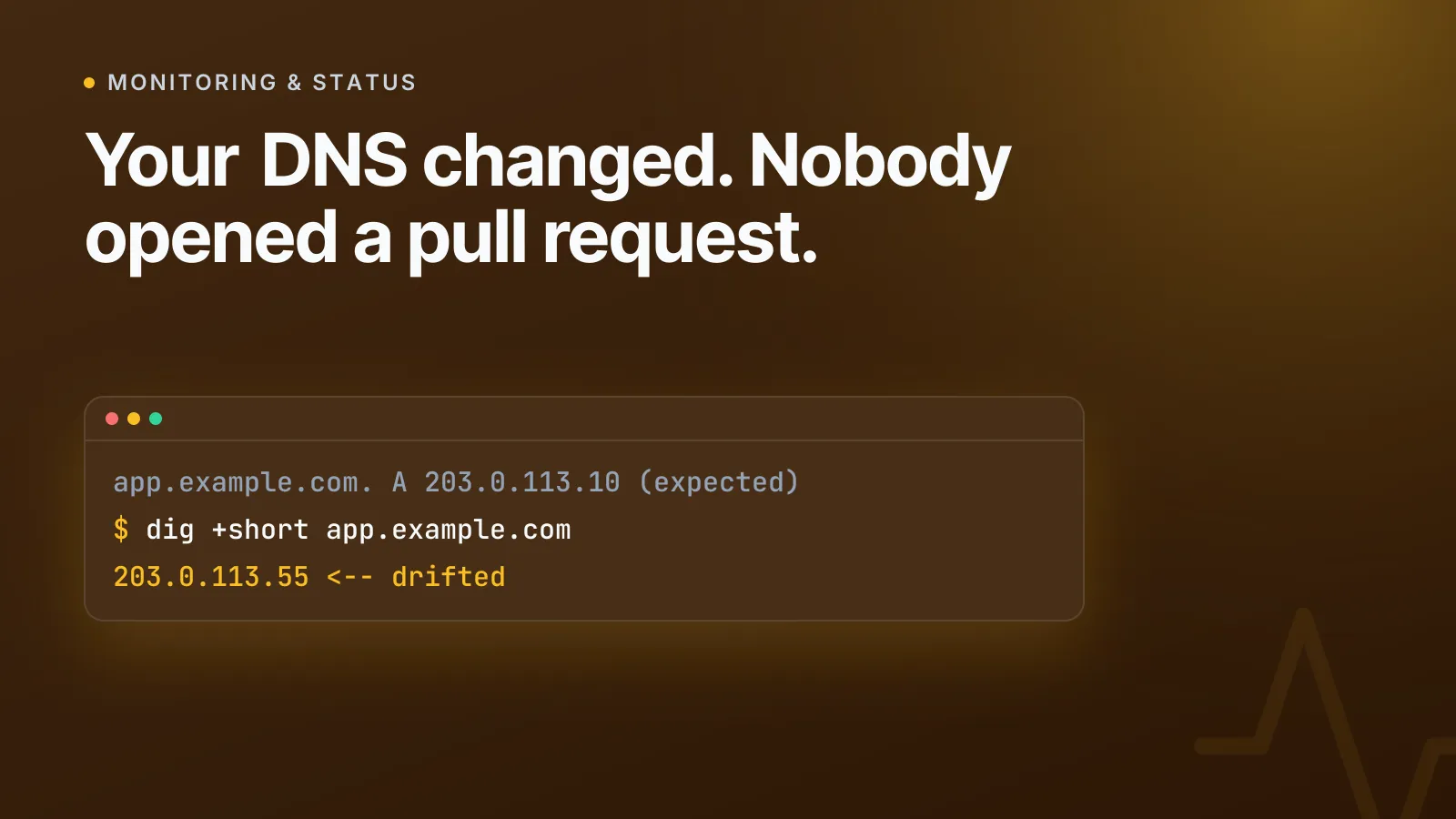
# Expected state (your source of truth)
app.example.com.    A      203.0.113.10
mail.example.com.   MX     10 mail.example.com.
example.com.        TXT    "v=spf1 include:_spf.example.com ~all"

# Observed state (queried live)
app.example.com.    A      203.0.113.55   <-- drifted
You can spot-check any single record right now with the free DNS lookup tool — useful for confirming a suspected drift before you escalate. But for ongoing protection you want that comparison running continuously, with an alert firing the moment a value changes, rather than relying on someone remembering to check.
This is exactly what InfraNest's DNS management does across every registrar and DNS host you use: it tracks the expected value for each record and flags the moment the live answer diverges, instead of waiting for a support ticket. Pair that with uptime and infrastructure monitoring so a drifted record that actually breaks something — a dead A record, a mail server that stops accepting connections — triggers a second, independent alert based on real-world impact, not just configuration state.
TipAlert on the change, not just the outage. A record that silently repoints to an unfamiliar IP is worth investigating even if the site still loads — it might be resolving through a rogue proxy or a takeover attempt rather than your real server.
What to do when drift alerts fire
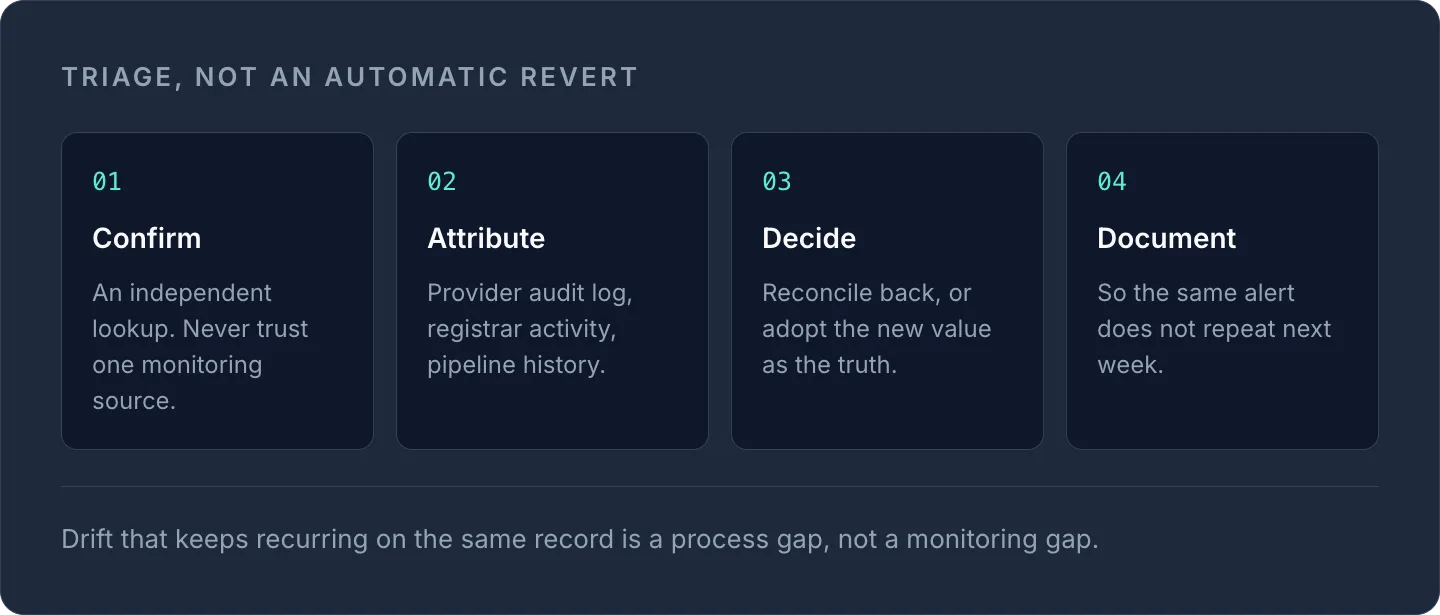
Treat every drift alert as a triage question, not an automatic revert:
- Confirm the change is real with an independent lookup (don't trust a single monitoring source).
- Check who or what made the change — provider audit log, registrar activity log, or IaC pipeline history.
- Decide whether to reconcile back to the declared state or adopt the new value as the new source of truth.
- Document the decision so the same alert doesn't repeat next week.
If drift keeps recurring on the same record, that's usually a process gap, not a monitoring gap — something (a script, an integration, a person) has a standing reason to bypass your normal change path, and it's worth finding out what before you keep firefighting the symptom. For teams managing this across multiple clouds and registrars, it's also worth reading how to automate DNS, SSL and server tasks across every provider so fewer changes need to be manual in the first place.
Getting started
Drift detection only earns its keep when it's paired with an alert that actually reaches someone. Set up DNS monitoring on your critical zones and layer uptime monitoring on top, so you catch both the configuration change and the outage it causes — whichever one someone notices first.
Frequently asked questions
#What's the difference between drift detection and monitoring?
Drift detection compares your declared configuration (a DNS zone, an IaC state file) against the live resource to spot unauthorised changes, while monitoring checks whether a service is actually up and responding. You want both: drift detection catches the cause, monitoring catches the effect.
#Can DNS drift happen even if I never touch my zone file?
Yes. Third-party integrations, CDNs, email platforms and even the registrar itself can change a record outside your normal change process, so the zone can drift without anyone on your team making an edit.
#How often should DNS records be checked for drift?
Continuous checking is best practice for anything customer-facing, since a drifted MX or A record can affect mail delivery or uptime within minutes. If continuous isn't possible, check high-value records (root A/AAAA, MX, SPF/DKIM TXT) at least daily.
#Does drift detection work the same way for cloud servers as it does for DNS?
The underlying idea is identical — compare declared state to live state and alert on differences — but the mechanics differ. Cloud drift detection typically uses provider APIs like AWS's DetectStackDrift or Terraform's refresh, while DNS drift detection relies on live authoritative lookups against expected record values.
Try it with a free tool
Was this article helpful?