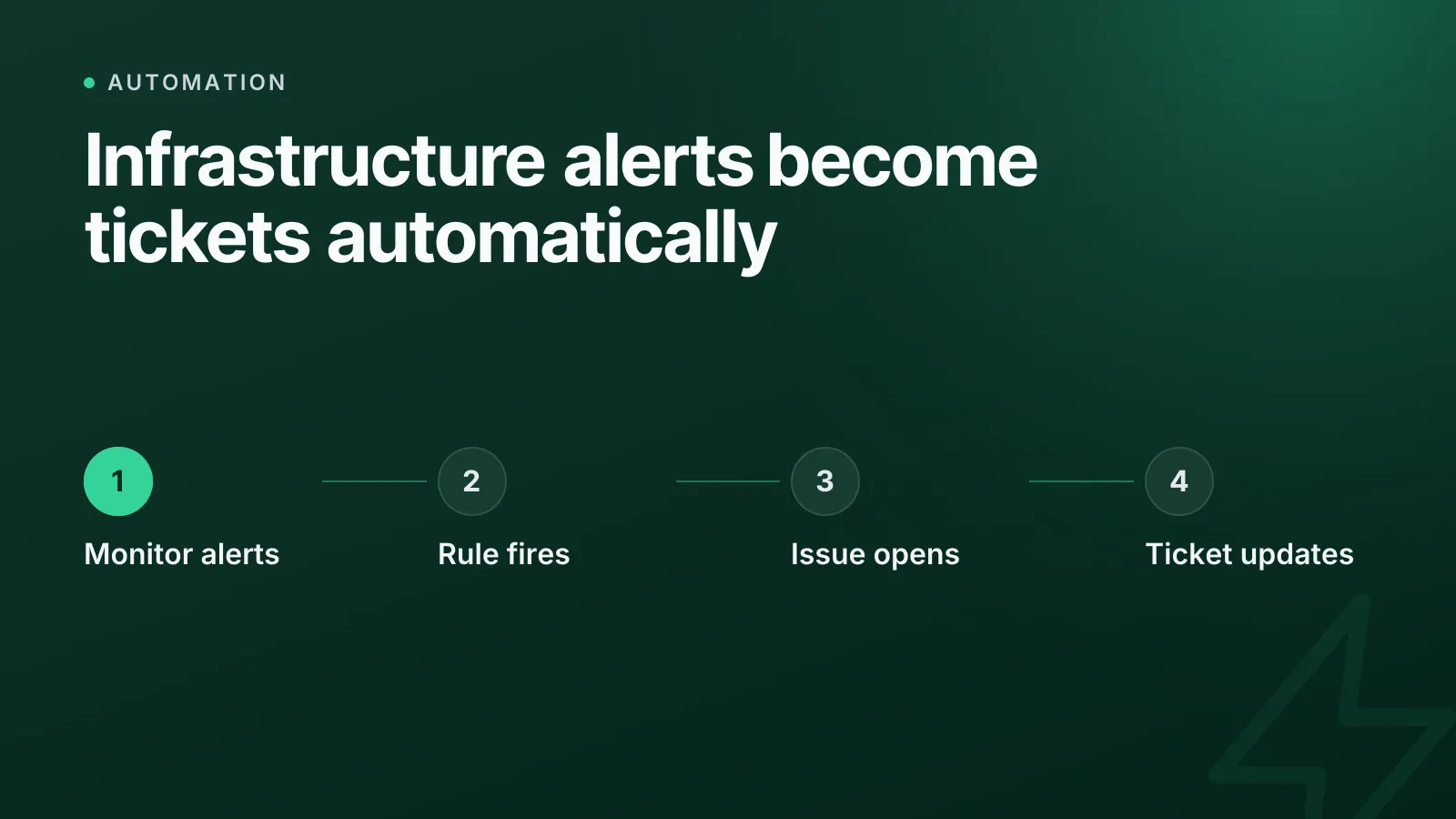
When a certificate is about to expire or a monitor goes down, the fix usually isn't the hard part — getting it onto your team's board is. Automations can now open a Jira or Linear issue directly from any infrastructure event, with the project, summary and details filled in, so the ticket exists before anyone has to notice the alert and type it up by hand.
This post covers how that works, what a ticket looks like when a rule raises it, and how to set it up without copying details between tools.
Why infrastructure events need to become tickets
Alerts live in monitoring tools. Work lives in Jira or Linear. If nobody bridges the two, one of two things happens: someone manually opens a ticket for every alert (fine until it's 2am and they don't), or the alert gets acknowledged in Slack and never tracked anywhere, which means it has no owner, no status, and no record once the channel scrolls past it.
A ticket is the right unit of work for anything that needs a human to actually do something — renew a certificate, investigate a down monitor, rotate a credential before a domain lapses. The event that triggers it is infrastructure-shaped; the thing that tracks it to completion should be whatever your team already uses for work. Filing it automatically removes the gap between the two.
How the automation works, end to end
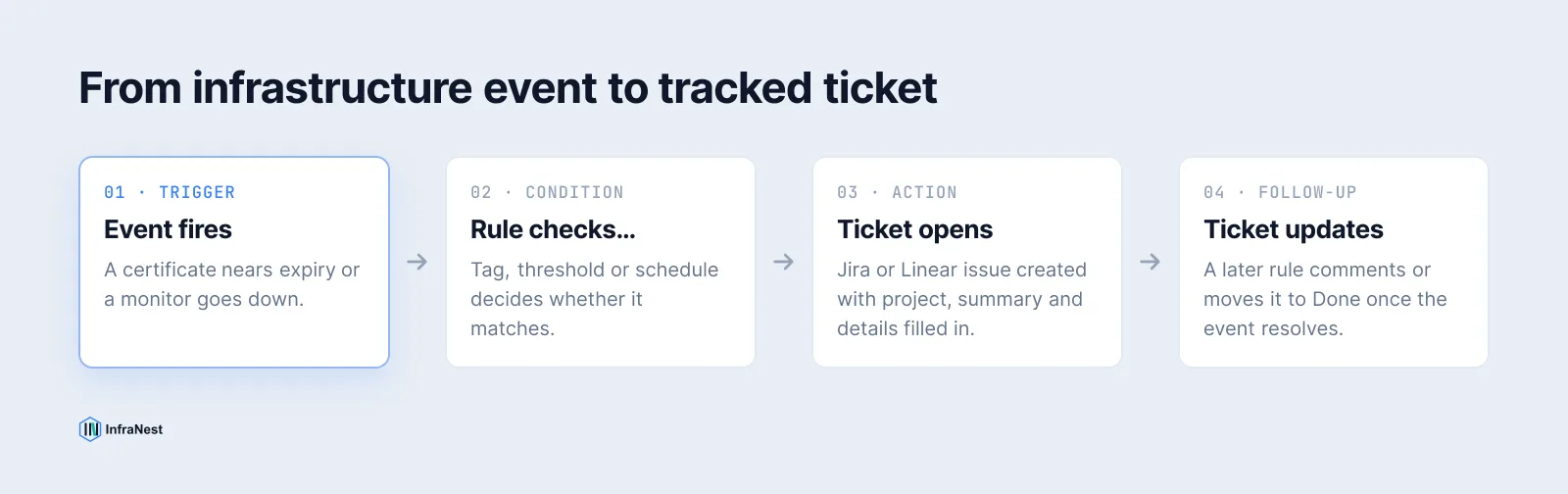
An automation rule in InfraNest is one sentence: when this happens, if that's true, do these things. For ticket filing, the shape is almost always the same:
- Trigger — a certificate nears expiry, a monitor goes down, a domain approaches renewal, a drift is detected.
- Condition (optional) — only for production tags, only below a threshold, only outside a maintenance window.
- Action — create a Jira issue or a Linear issue, in the project or team you choose, with fields filled from the event.
Because the rule runs on the real event, the ticket carries the actual domain name, monitor name or certificate in question — not a generic "something broke" summary someone has to go and investigate from scratch.
Setting up Jira or Linear as a destination
Both integrations connect the same way: one click through OAuth, or an API token/key if your organisation hasn't registered an app yet.
For Jira, go to Settings → Integrations, connect your .atlassian.net site (Jira Cloud only — Data Center and Server aren't supported), and InfraNest confirms whose account it is talking to. For Linear, the equivalent is a Settings → Integrations connection or a personal API key with Read and Write access, scoped to the team your rules should file into.
WarningFor Jira's API token option, the email you sign in with has to match exactly. A different address on the same site is refused, and the error looks like a bad token rather than a wrong email — check that field first if a connection won't authenticate.
A token or key is tied to the person who created it, so it stops working if they leave. For a rule the whole team depends on, use an admin's credential or the one-click connect option rather than a personal one.
What actually lands in the ticket
When the Create Jira issue or Create Linear issue action runs, it fills in the fields you mapped when you built the rule:
| Field | Jira | Linear |
|---|---|---|
| Destination | Project (pick or type a key like OPS) |
Team (pick or type a key like ENG) |
| Type | Issue type — Task, Bug, etc. (no sub-tasks) | — |
| Title | Summary | Title |
| Details | Description, with event values dropped in | Description, with event values dropped in |
| Who | Assignee (must be assignable on that project) | Assignee (anyone in the workspace) |
| Extra | Priority, labels (no spaces — use hyphens) | Priority (Linear's 1–4 scale), project, status |
A rule that files tickets for expiring certificates might set the summary to something like Certificate expiring: {{domain}} — {{days_remaining}} days left, with the description carrying the issuer, the expiry date and a link straight back to the certificate in InfraNest. That's the difference between a ticket someone has to investigate and one they can act on immediately.
Closing the loop, not just opening it
Filing the ticket is half the job. The other half is updating it once the situation changes, and that's a separate pair of actions rather than a one-off fire-and-forget:
- Comment on the issue — when the monitor recovers, add a comment saying so, on the same ticket the first rule opened.
- Change its status — move it to Done, or whatever your workflow calls that transition, once the certificate renews.
- Link it back — Jira supports linking the ticket to the certificate, monitor or domain it's about, in the Links panel. Running the rule again updates that link rather than creating a duplicate.
The ticket created by the first action is available to later steps in the same rule, so you can post its link to Slack straight after raising it, or chain a comment onto it later in the same run. That's what turns "open a ticket" into an actual workflow rather than a one-way notification.
TipPair a "went down" trigger with a "came back up" trigger on the same ticket reference, rather than one rule per direction — it keeps the whole incident in one thread instead of two tickets that never talk to each other.
Check a rule before you trust it
Before a rule touches a real project, dry-run it against a real object in your account — it reports exactly what it would create, without creating anything. You can also backtest it against your last 30 days of events to see how many tickets it would have opened and on what, which is the fastest way to catch a rule that's too broad (every monitor blip) or too narrow (never fires). Five failed runs in a row switch a rule off automatically rather than silently failing on every event after the first.
This matters more for ticket-filing rules than most others, because a flood of duplicate tickets in a shared project is the kind of mistake your team notices immediately — and resents cleaning up.
A worked example
A rule that watches for certificates and files Jira tickets reads, in plain English, something like:
When a certificate has 14 days or fewer left, and its tag is
production, create a Jira issue inOPSwith type Task, summary "Certificate expiring: {{domain}}", and assignee the on-call engineer.
If the certificate renews before anyone touches the ticket, a second rule — triggered on certificate renewal, matched to the same domain — can comment "Renewed automatically" and move the ticket to Done, closing the loop without anyone opening Jira at all.
This pattern isn't specific to certificates. The same shape works for a monitor going down, a domain approaching expiry, or infrastructure drift being detected on a zone — any of the roughly seventy events a rule can trigger on, through the same automations engine.
Where this fits alongside other automation work
Ticket filing is usually one of a handful of rules worth setting up first, alongside notifications and escalations — see what to automate first if you're starting from nothing. It's also a close cousin of linking status page incidents to support tickets: both exist to stop an event from disappearing into a channel nobody reviews, and give it a permanent, trackable home instead.
If your team already lives in Jira or Linear, connect it once and let the rules file the tickets — see Connect Jira, Connect Linear, and the automations page for the full list of triggers and actions you can combine.
Frequently asked questions
#Does this work with Jira Server or Data Center, not just Jira Cloud?
No — the Jira integration works with Jira Cloud (a something.atlassian.net address) only. Jira Server and Data Center aren't supported.
#Can a rule update a ticket it already created, or only open new ones?
Both. Comment-on-issue and set-status actions can act on a ticket an earlier step in the same rule created, or on any existing ticket you reference by its key, so a rule can open a ticket and later close it when the underlying problem resolves.
#What happens if the Jira or Linear connection breaks partway through?
A permission or authentication failure stops the rule immediately and names the problem rather than retrying uselessly; a transient failure is retried with backoff. Five failed runs in a row disable the rule automatically, and the reason is recorded for you to review.
#Can I test a ticket-filing rule without creating real tickets?
Yes — a dry run executes the rule against a real object in your account and reports what it would create without creating anything, and a backtest shows how often it would have fired over your last 30 days of events.
Was this article helpful?