

Keep your servers safe with the Security Advisor, a built-in checklist that flags risky settings and gives you one-click fixes — no security expertise required.
Overview
- Every server has a Security Advisor on its overview, checking for common security gaps.
- Findings are sorted by importance so you know what to fix first.
- Each finding explains why it matters and, if it fails, offers a fix that takes you straight to the right place.
- You can ignore a check on a server if it doesn't apply to your setup.
Run the Security Advisor
- Open a server and look at the Security Advisor on its overview.
- Findings are ordered critical, then recommended, then info. Each one explains why it matters, and failing items offer a fix that jumps straight to the right place. You can ignore a check for a server if it doesn't apply.
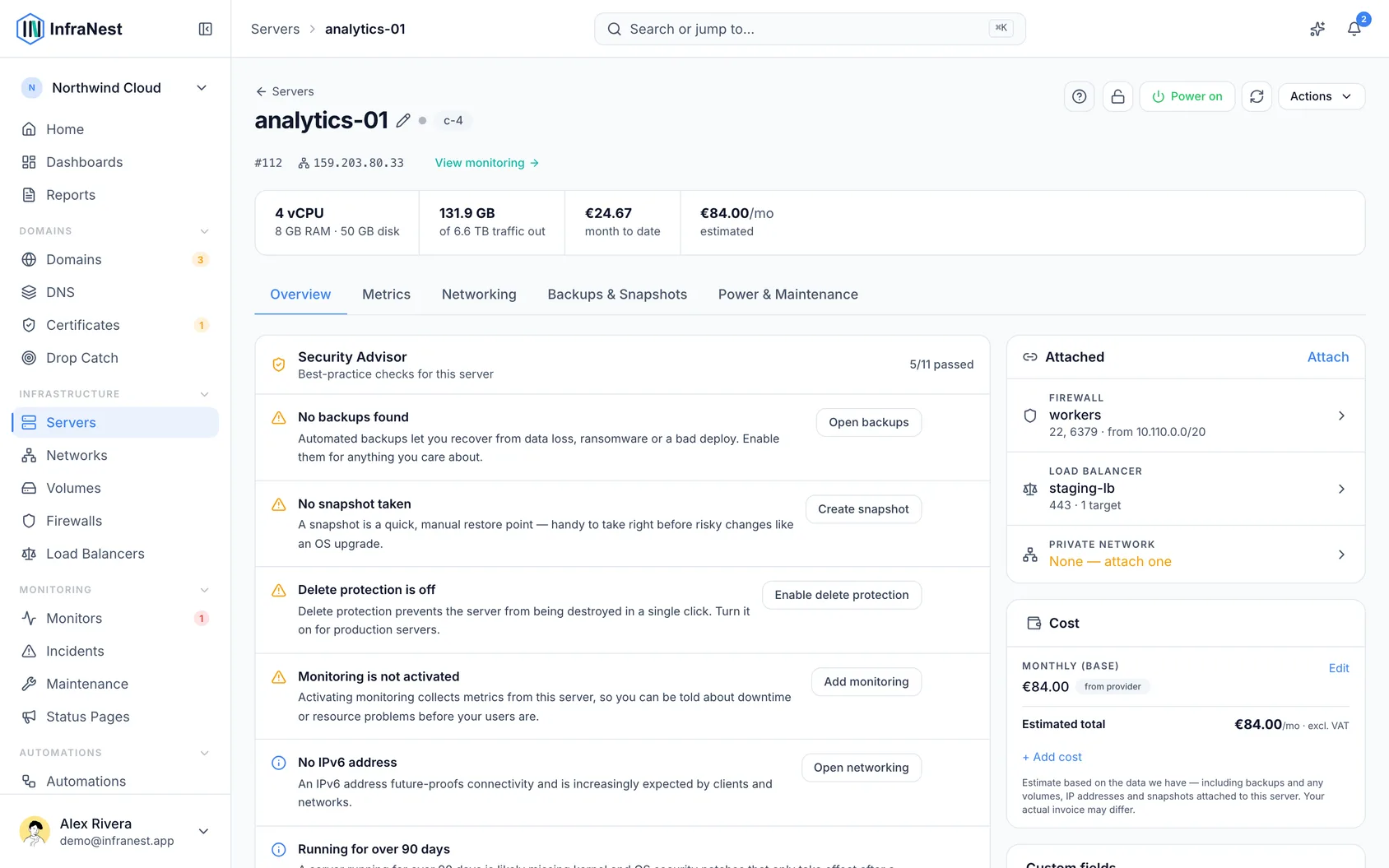
What it checks
Critical
- No firewall attached
- SSH open to the internet
- A database port exposed to the internet
- RDP open to the internet
Recommended
- No backups
- No snapshot taken
- Delete protection is off
- Monitoring is not activated
- No alert rule watching the server
Info
- No IPv6 address
- The server hasn't rebooted in over 90 days
- Not on a private network
- Unattached volumes in your account
NoteThe advisor reads your server's live firewall rules for the exposure checks, so it always reflects how the server is actually set up right now.
Monitoring and alert rules are two separate checks
Monitoring and alerting are two different steps, so the Security Advisor reports them separately and only ever asks for the one you still need.
- Monitoring is not activated — nothing is collecting metrics from this server yet. The fix opens the server's monitoring page, where you activate it and install the agent.
- No alert rule watching the server — metrics are coming in, but no active rule means nobody is told when something goes wrong. The fix opens Alert rules.
The second check only appears once monitoring is on. A rule that is switched off doesn't count towards it — the advisor asks whether anything is actually watching, not whether a rule exists somewhere.
TipIf you're just getting started, the quickest way to cover every server at once is to set your alert rule defaults for your organization. Every server inherits them automatically, including ones you add later.
Was this article helpful?