

Volumes give your servers extra block storage that you can attach, resize, or remove whenever your needs change. This article is for anyone managing storage for their servers in InfraNest.
Overview
- A volume is extra disk space that lives separately from your server and can be attached, detached, or resized as needed.
- You can create, attach, resize, detach, and delete volumes all from one place.
- Providers have their own rules about sizing, naming, and locking — InfraNest surfaces these so you don't run into surprises.
Manage volumes
- Go to Volumes.
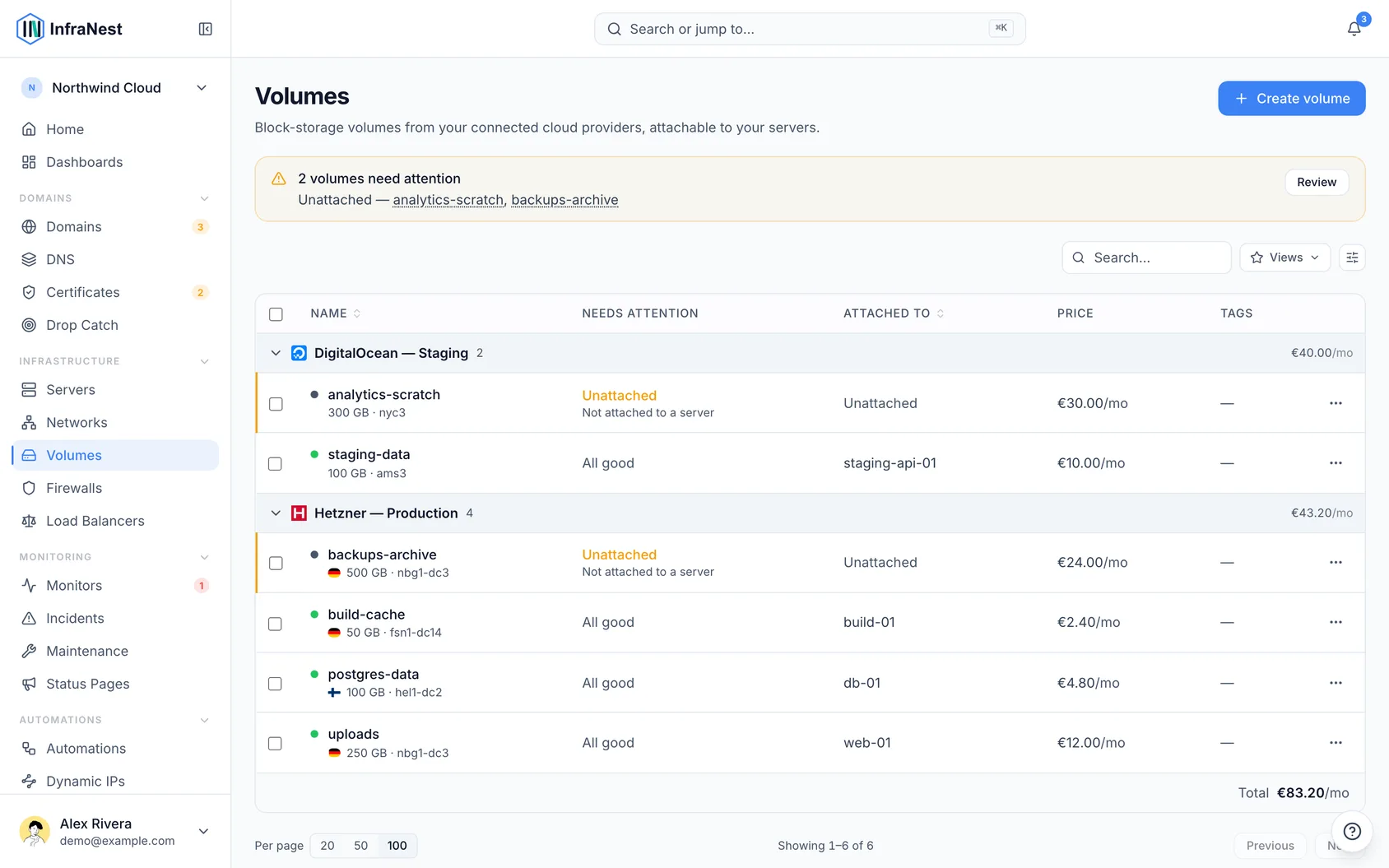
- Create a volume, then attach it to a server, resize it, detach it, or delete it.
Make a volume bigger
- Open the volume and select Resize.
- Enter the new size in GB and confirm.
A volume can only get bigger, never smaller — that is your provider's rule, not ours, and it is why the box won't accept a number below the current size. If you need less storage, create a smaller volume, copy your data across and delete the old one.
The new size is applied by your provider in the background, so it may take a minute or two to appear. Some providers charge for the extra storage straight away.
WarningResizing grows the disk, not the filesystem on it. Until you extend the filesystem yourself on the server, it will still show the old amount of free space. Check your provider's documentation for the exact steps to extend the filesystem after a resize.
If Resize isn't there, your provider doesn't let InfraNest change a volume's size. Change it in their own control panel and the new size shows up here at the next sync.
Naming a volume
Each provider has its own rules about what a volume may be called, and InfraNest states them under the name box when you create one — so a name that would be refused is caught before you order anything.
Choose a DigitalOcean name carefully. DigitalOcean volumes can never be renamed, so whatever you pick is permanent. Its rule is also the strictest: lower-case letters, numbers and dashes only, starting with a letter, up to 64 characters.
Rename a volume
- Open the volume and click its name in the header.
- Type a new name and press Enter.
Not every provider allows this. A DigitalOcean volume keeps the name it was created with — there is no way to change it afterwards, so the name is shown as fixed. Hetzner accepts letters, numbers, dots, dashes and underscores, up to 64 characters, starting and ending with a letter or number; if the name is refused, InfraNest tells you which rule it broke and keeps the old one.
Stop a volume being deleted by accident
- Open the volume.
- Switch on Delete protection.
InfraNest then refuses to delete it until you switch it off again.
Where your provider has a lock of its own, InfraNest sets that too, so the volume cannot be deleted from your provider's control panel either — the badge on the volume says which. Hetzner has one. DigitalOcean and TransIP do not, so there the protection applies inside InfraNest only and the volume can still be removed from their own panel.
A lock you set directly in your provider's panel is picked up at the next sync and honoured here as well.
What a volume costs
- Open a volume and check its Cost panel for the monthly price.
- Where your provider publishes a rate, InfraNest reads it for you — Hetzner charges per GB, so a 100 GB volume prices itself.
- Where it doesn't, select Set price and enter what you're charged.
The figure feeds your Spend report, and appears on the Cost panel of the server the volume is attached to — counted once, as a volume, not twice. A price you enter yourself is never overwritten by a later sync.
NoteThe server Security Advisor flags volumes you've left unattached, so you don't pay for storage you're not using.
Was this article helpful?