

Firewall templates let you save a set of firewall rules once and reuse them, so every server you protect starts from the same safe baseline. This is for anyone managing multiple servers who wants consistent, repeatable firewall setups without rebuilding rules from scratch each time.
Overview
- A template is a reusable set of firewall rules.
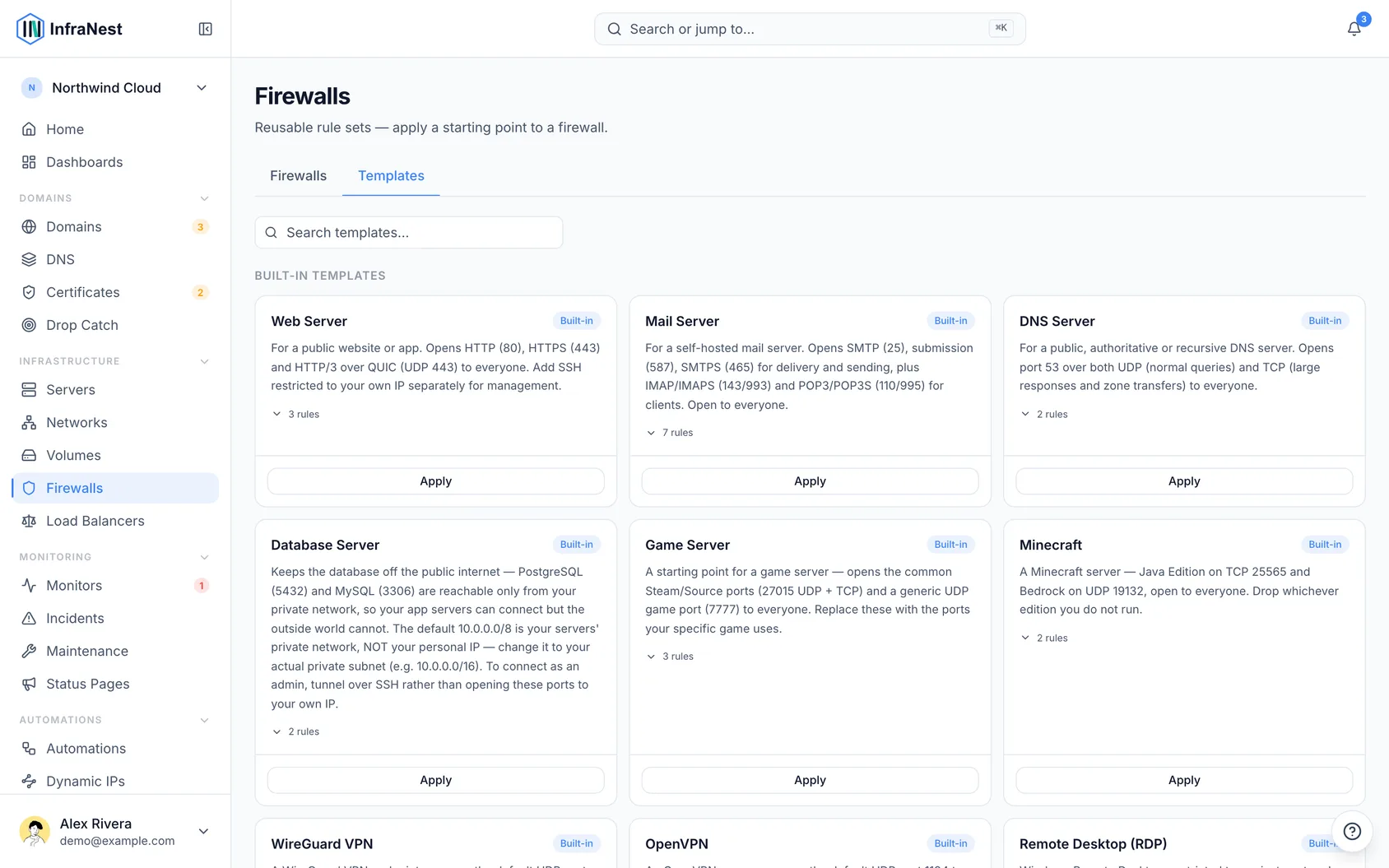
- InfraNest comes with built-in templates you can apply right away.
- You can also create your own templates from scratch or from an existing firewall.
- Applying a template brings a firewall or server in line with your standard setup.
Use a template
- Go to Firewalls in the sidebar.
- Open the firewall or server you want to update.
- Choose Save firewall as template, or look for the option to apply an existing template, depending on where you are in the flow.
- Select the template you want from the list — this can be a built-in template or one you created yourself.
- Review the Resulting rules to confirm they match what you expect.
- Confirm to apply the template. You'll see a Template applied confirmation once it's done.
NoteApplying a template can add, change, or remove rules on the target firewall. Review the Resulting rules before confirming, especially on firewalls that are already protecting live servers.
Make your own template
- Go to Firewalls in the sidebar.
- Open the firewall (or server) whose rules you want to reuse — pick one you know is set up correctly.
- Choose Save firewall as template.
- Give it a name and decide whether to Append to an existing template or save it as a New firewall template.
- Choose Save to store the template.
You'll see a Template saved confirmation, or a Could not save the template message if something went wrong — in that case, check your entries and try again.
To manage templates you've already created:
- Go to Firewalls in the sidebar and find your list of templates.
- Choose Edit on a template to change its rules, or Delete to remove it.
- Confirm deletion when prompted — you'll see Template deleted once it's removed.
TipBuilt-in templates are read-only, so you can't accidentally change InfraNest's defaults. If you want to tweak one, capture it from a firewall first, then edit your own copy.
Troubleshooting
- Could not save the template — this usually means a required field is missing or a name is already in use. Double-check the template name and try Save again.
- Template looks wrong after applying — check the Resulting rules before confirming next time. If you've already applied it, you can edit the firewall's rules directly or apply a different template to correct it.
Was this article helpful?