

This article is for anyone who needs to confirm that a site is actually protected by a certificate, not just that one exists somewhere in InfraNest — helpful if you're troubleshooting a browser warning or auditing what's really live.
Overview
- An inventory entry only tells you a certificate exists somewhere; it doesn't confirm it's protecting a live site.
- The address overview is the source of truth for what's actually served to visitors — expiry, renewal, and monitors included.
- Checking this before you rely on a certificate helps you catch gaps early, rather than after a browser warning.
Check what an address serves
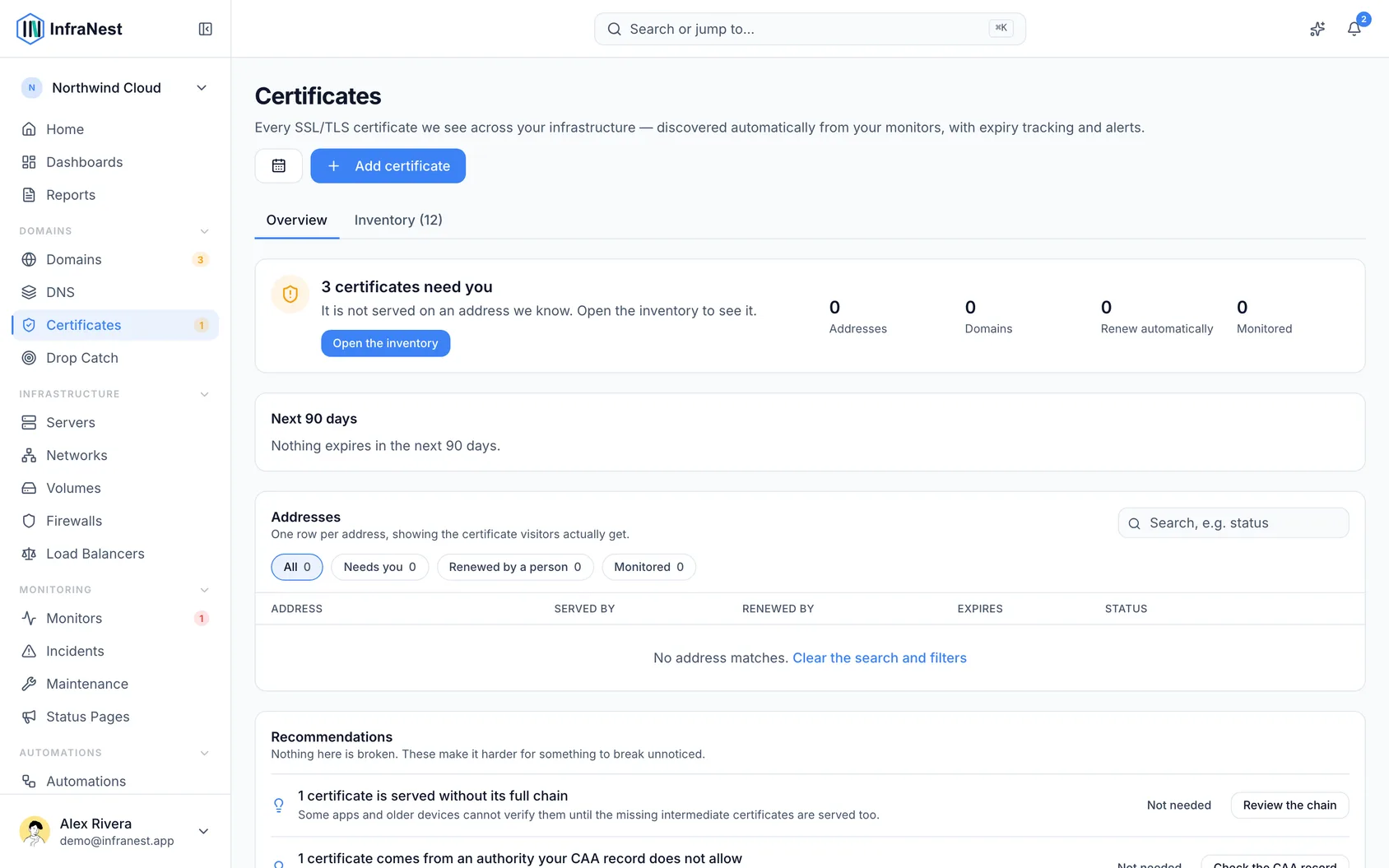
- Go to Certificates.
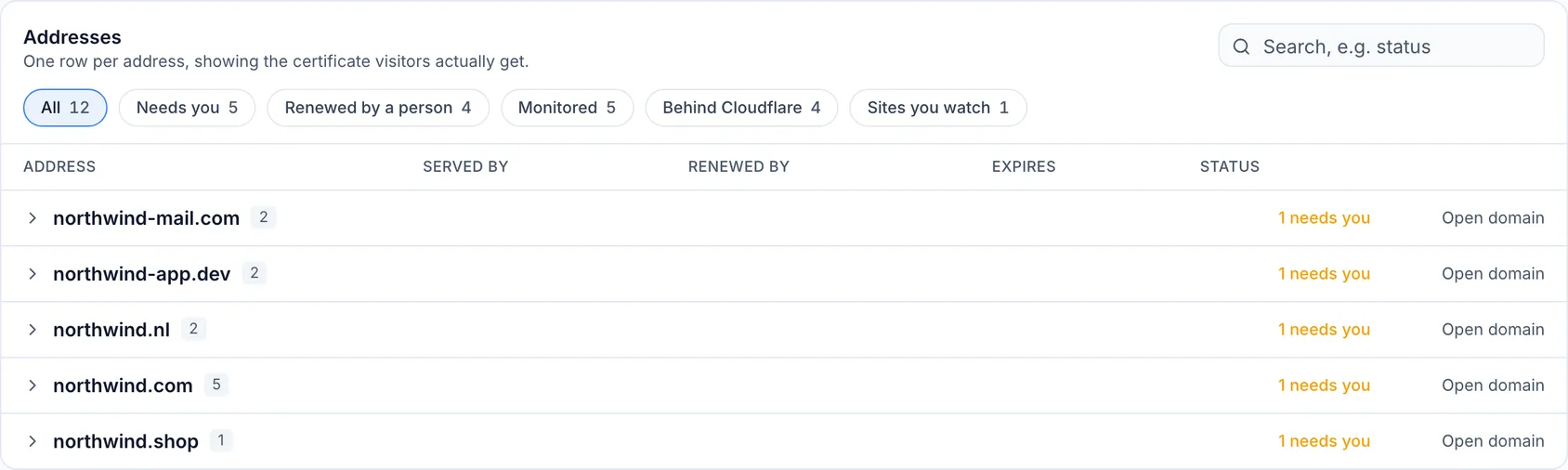
- Open the Addresses tab, then open the domain or search for the hostname.
- Select an address to see the certificate visitors get, its expiry, who renews it, and what monitors it.
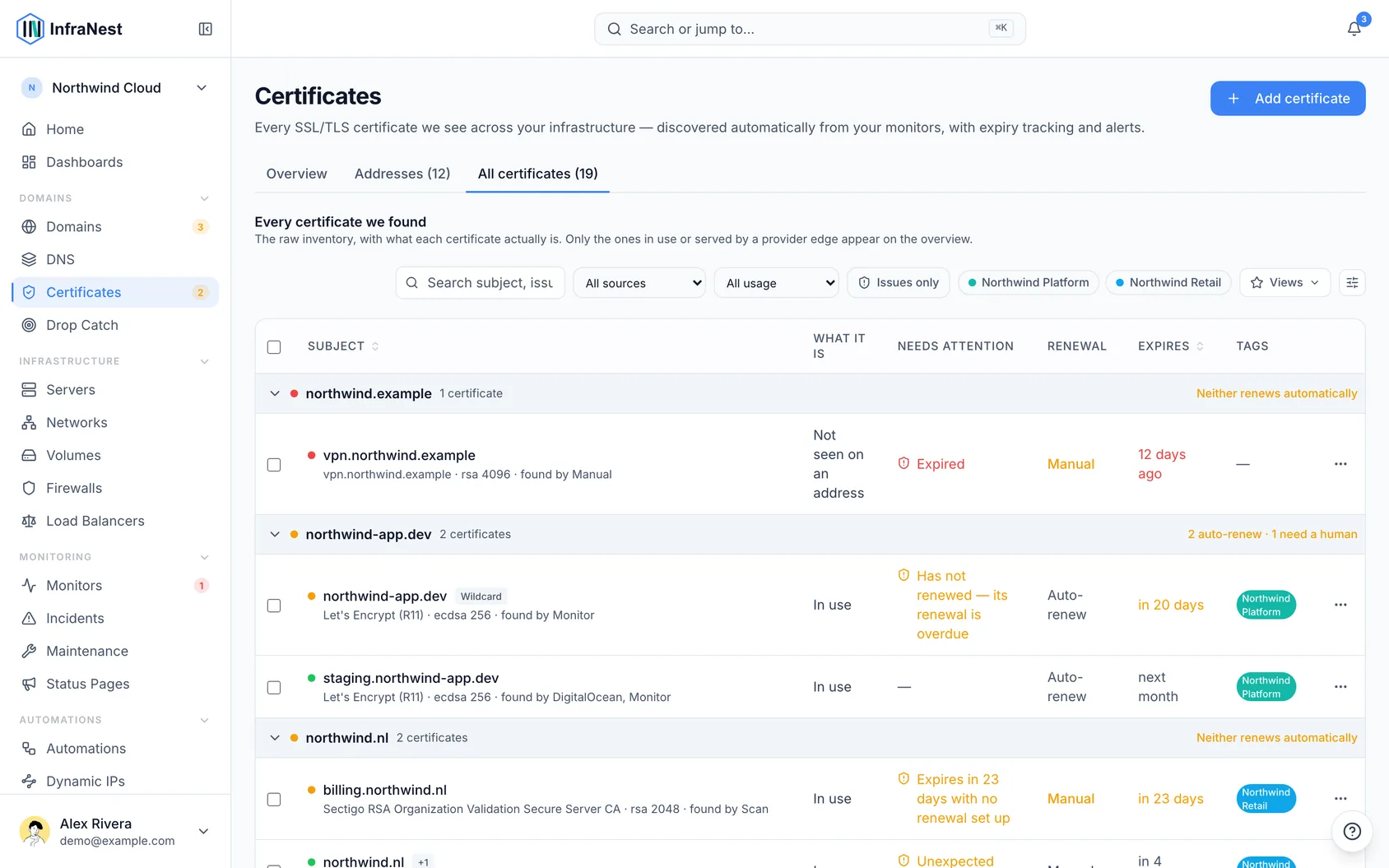
- Use All certificates to find certificates that are stored or listed by a provider but are not yet known to be served. Their presence alone is not proof that a live address uses them.
If a site is missing
- Scan it. If the site is already live, Scan reads whatever certificate it is serving and adds it to your inventory — often there is one, InfraNest just hadn't seen it yet.
- Add it. If you already hold the certificate, use Add certificate to import it.
- Check what you host. A registered domain without a website need not serve a certificate. An HTTPS redirect, however, still needs a valid certificate before the browser can follow it.
TipCoverage is wildcard-aware: a certificate for
*.example.comcounts for matching subdomains, so you don't need a separate certificate for each one.
NoteA certificate found by an import or provider and a certificate observed on a live address are different kinds of evidence. Use the address panel to confirm real deployment, including on a non-default port.
Tips
- Certificates that exist but are close to expiring are a different question — check Certificate health for that.
- Use Search addresses or Group by domain if you're scanning a large list for a specific hostname.
Was this article helpful?
Related articles
Where certificates come fromInfraNest finds your certificates in several ways and combines them all into one deduplicated inventory. Each certificate is labelled with where it was found.About SSL certificatesInfraNest keeps a single inventory of all your SSL/TLS certificates — wherever they live and whoever issued them — tracks when they expire, checks they're…Add a certificateMost certificates appear on their own from your monitors and connected providers, but you can also add one directly by scanning a server or pasting it in.Certificate healthInfraNest checks every certificate it knows about and tells you, in plain words, whether anything is wrong with it — so you find out before your visitors do.