

DNS templates let you apply a reusable set of DNS records to any zone, so you don't have to add them one by one. They're useful for standard setups like an email provider's records or your organisation's baseline for every new domain.
Overview
- A template is a saved collection of DNS records that can be applied to any zone.
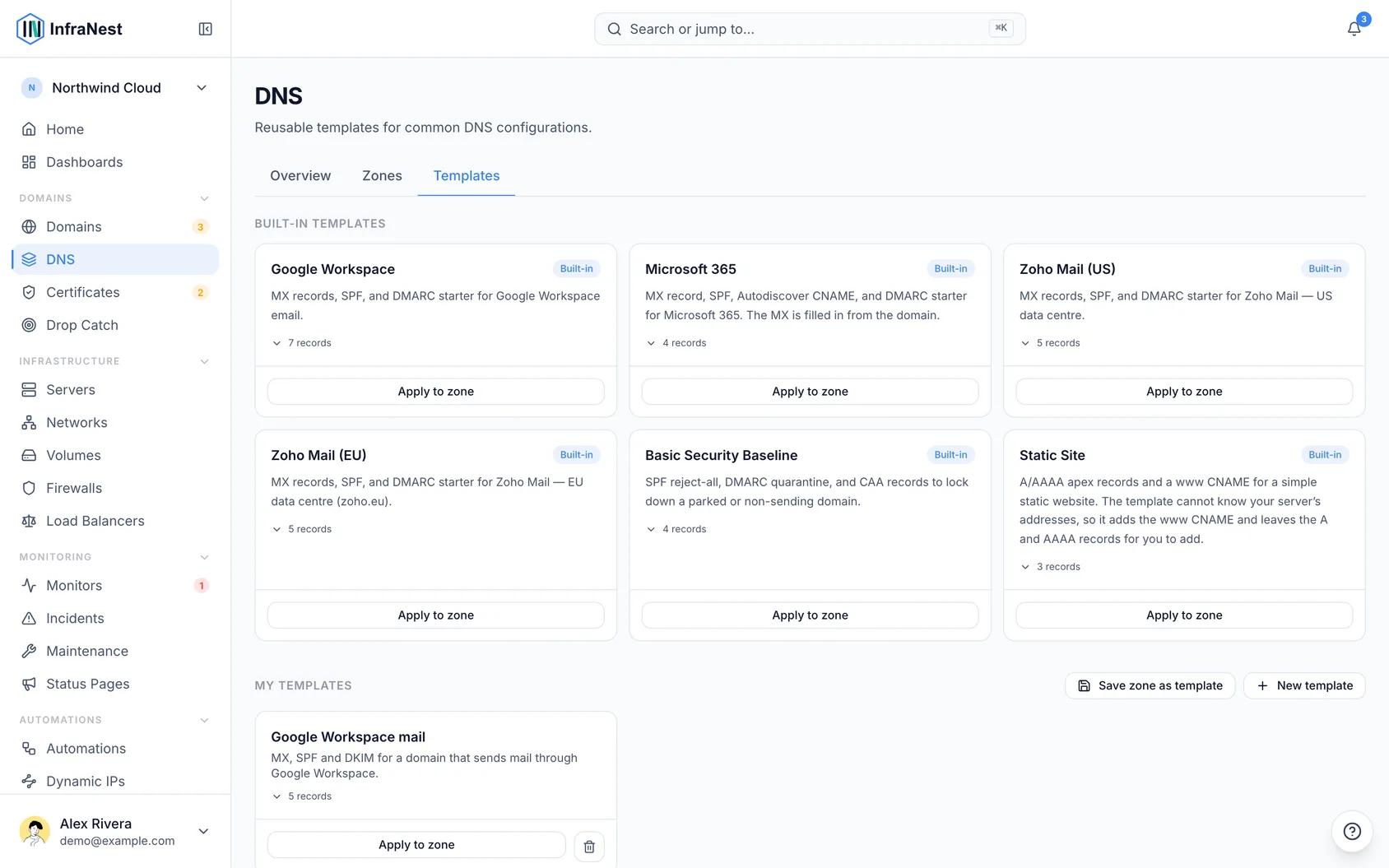
- InfraNest ships with built-in templates, and you can create your own from scratch or from an existing zone.
- Values that depend on your domain are filled in automatically when you apply a template.
Use a template
- Open a zone from the DNS page.
- Open Actions and choose Apply template, pick one, and preview exactly which records it will add before you commit.
- Apply it. The records are added to the zone (and pushed to the provider where supported).
If your DNS provider refuses one of the records — a rate limit, an expired key, a record type it does not accept — InfraNest stops there and tells you how many were added and how many were not, with the provider's reason. The ones it could not add are not kept: a record that only exists in InfraNest would look live here while nothing had changed at your provider. Fix what the message says and apply the template again — records already added are skipped, so it is safe to re-run.
Values that depend on your domain
Some records name your own domain. Microsoft 365's mail server, for example, is acme-com.mail.protection.outlook.com for acme.com. The template fills those in for the zone you apply it to, and the preview shows the finished value.
A value the template cannot know, such as your web server's address in Static Site, is never guessed. The preview marks that record as not added and says why; add it yourself once you know the address.
The email templates start DMARC at p=none without a report address. To receive DMARC reports, set them up from the domain's email protection.
Make your own template
- From the DNS Templates area, choose New template, or create one from an existing zone's records (the quickest way to capture a setup you already have).
- Name it and add a description if you like.
- Add records. Use
{zone}in a value to stand for the domain the template is applied to (for exampleacme.com), or{zone_dashed}for the same domain with dashes instead of dots (acme-com). - Save the template.
NoteA record whose TTL shows as 0s — OVHcloud's way of saying "use the zone's default" — is saved with 5 minutes, because a template isn't tied to any zone to take a default from. A TTL longer than a day is saved as a day, the longest a template holds. Route 53 alias records are left out altogether, since a template can't recreate one at another zone; InfraNest tells you when it left one out so you can add it by hand at each zone.
Each record's value has to fit its type, the same as when you add a record by hand: an A record needs an IPv4 address, an AAAA record an IPv6 address, and a CNAME, MX or NS record a hostname. To point a record at the domain the template is applied to, write @.
If a template you already have holds a value that doesn't fit — saved before this check, or copied from a zone — applying it adds everything else and leaves that one record out. The preview marks it as skipped and says what the value should be, so you can fix the template and apply it again.
You can also Manage your templates to edit or delete them. Built-in templates are read-only.
Tips
- You can also apply a template while creating a zone — see Add a DNS zone.
- Templates are great for an email provider's MX/SPF/DKIM/DMARC set, a SaaS tool's verification records, or your organisation's standard records for every new domain.
TipEach record in a template has a TTL (how long resolvers may cache it). Pick Auto to let Cloudflare decide — this is what Cloudflare uses for proxied records anyway. Because a template works at every provider, each TTL is fitted to the zone's provider when you apply it: Auto becomes 5 minutes at a provider with no Auto option (or that provider's shortest TTL, if 5 minutes is too short), and a TTL shorter or longer than the provider allows becomes its shortest or longest. The preview shows the TTL each record will get.
Troubleshooting
DNS templates come with paid plans. On a plan without them you can still browse the built-in templates and see their records, but the buttons to apply, save, create and delete show a lock. Click one to see which plan includes templates.
Was this article helpful?