

WHOIS server overrides let you manually set which server InfraNest uses to look up domain details for a specific domain ending, for the rare cases when the automatic choice doesn't work. This is for anyone managing domains who has run into a domain ending that isn't looking up correctly.
Overview
- For most domain endings, InfraNest automatically finds the right WHOIS server to use.
- WHOIS Overrides let you step in and specify the server yourself for a particular ending, in case the automatic choice is wrong or missing.
- Overrides apply to your whole organisation's lookups, including drop-catch and domain WHOIS checks.
Add an override
- Go to WHOIS Overrides.
- Add the domain ending (TLD) and the WHOIS server you want InfraNest to use for it.
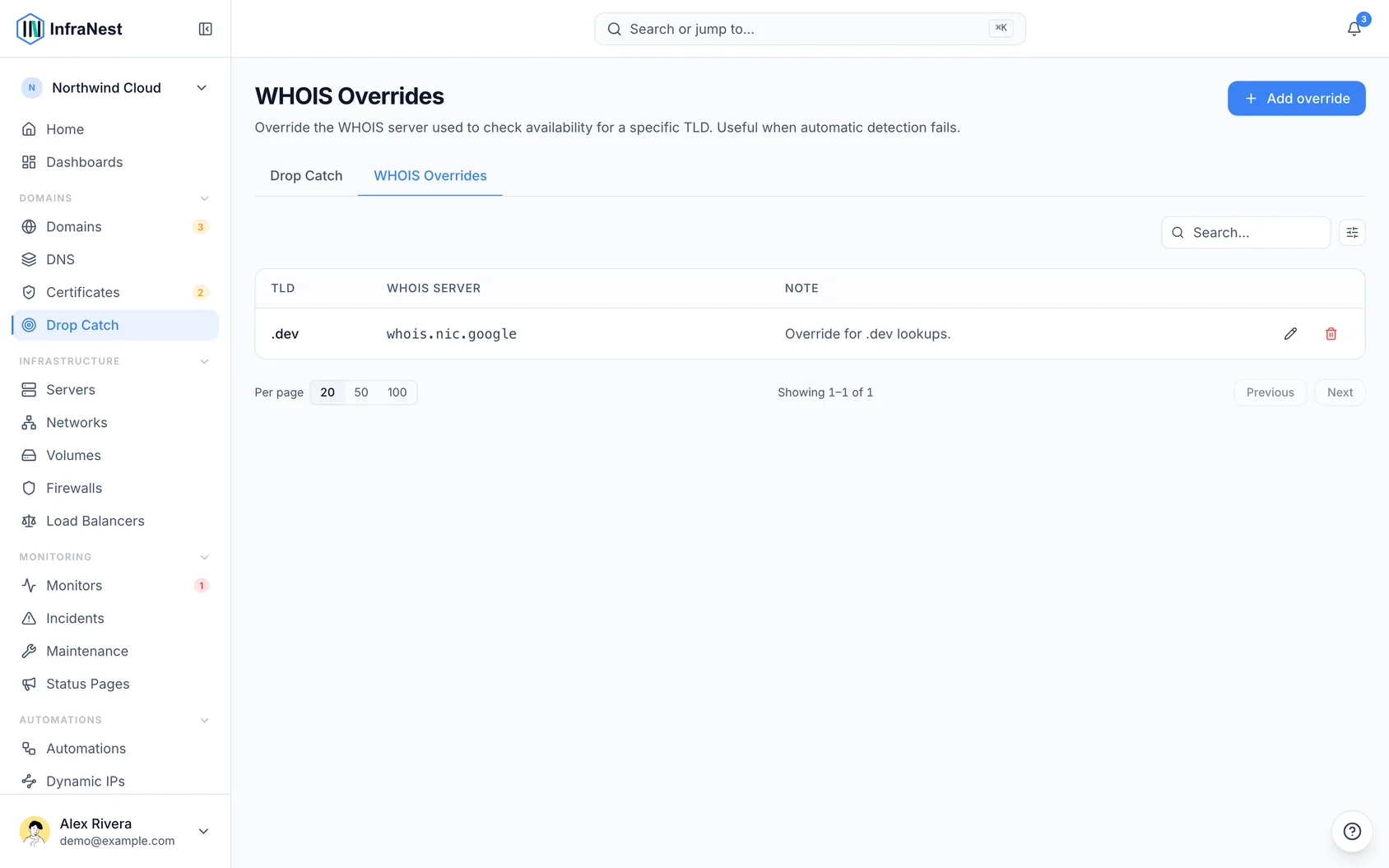
- Select Save. InfraNest will use your server for that ending whenever it looks up availability and WHOIS details.
NoteMost people never need to touch this — it's only for unusual domain endings where the automatic lookup doesn't work.
Tips
- If a domain ending's WHOIS or availability details seem wrong or missing, check whether an override is needed before assuming something else is broken.
Was this article helpful?