

Keep your domains safe from hijacking, accidental loss, and silent tampering — this article is for anyone managing domains in InfraNest, no technical background needed.
Overview
- The Security Advisor checks how well each domain is protected and flags anything that needs attention.
- It only shows actions your registrar and domain ending actually support, so you won't see fixes that can't apply.
- Many issues can be fixed with a one-click fix sent straight to your registrar.
Run the Security Advisor
- Open a domain from your Domains list.
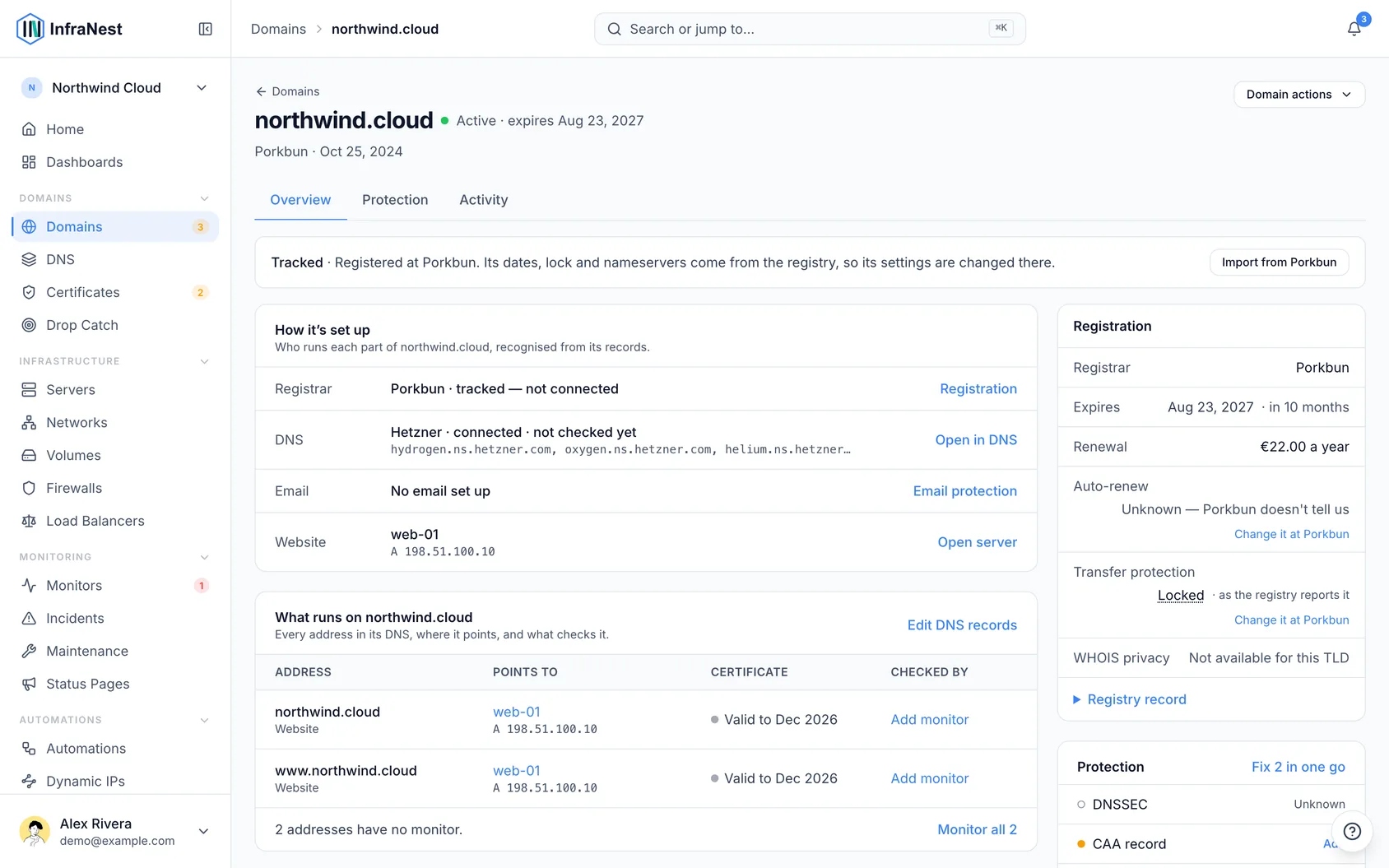
- Look at the Security Advisor panel. Each recommendation explains why it matters and, where supported, offers a one-click fix that's sent straight to your registrar.
What it checks
- Transfer lock — should be on, to stop anyone moving your domain away without permission.
- WHOIS privacy — should be on, to keep your personal details out of the public record.
- DNSSEC — recommended, to protect your DNS from tampering. It is set in two places and can take a domain offline if it goes wrong — see Turn on DNSSEC (and what to do when it breaks).
- Auto-renew — recommended, so the domain isn't lost at expiry.
- Nameserver health — checks the domain's live nameservers for problems or unexpected changes.
Other registrar actions
From the same domain page you can also change nameservers, edit contacts, manage DNSSEC, and get the EPP / auth code (to move the domain elsewhere). Only the actions your registrar supports are shown; the rest are greyed out with a reason.
NoteInfraNest watches for drift — if a domain's nameservers or status change outside InfraNest, it flags them so you can check.
Was this article helpful?
Related articles
Add and import domainsThere are a few ways to get your domains into InfraNest — and most appear on their own once you connect a registrar.See what happened to your domainsThe Domain lifecycle report shows what happened to your domains in a month, quarter or year you choose — registrations, renewals, transfers in and out…About domainsInfraNest brings all your domains — from every registrar you connect — into one list, so you can see what you own, when each renews, and manage them without…Archive a domain you no longer ownTidy a finished domain out of your list without losing its history — and understand why archiving is not the same as cancelling.