

Point your own web address — like status.example.com — at your status page, with HTTPS handled for you. This is for anyone who wants their status page to look like part of their own company's site instead of using the InfraNest address.
Overview
- Lets visitors reach your status page at your own address instead of the default InfraNest one.
- HTTPS (the padlock in the browser) is set up for you automatically once the domain is verified — nothing to renew or configure yourself.
- Works whether your domain's DNS is managed in InfraNest or with another provider.
Set up a custom domain
- Open your status page, press Settings at the top, pick Domain & SSL from the list on the left, then type the address you want to use.
- InfraNest shows you the exact CNAME record to add. Add it to your domain's DNS. If that domain's DNS is already managed in InfraNest, choose Set it up for me instead: we add the record, and the page tells you it's in place.
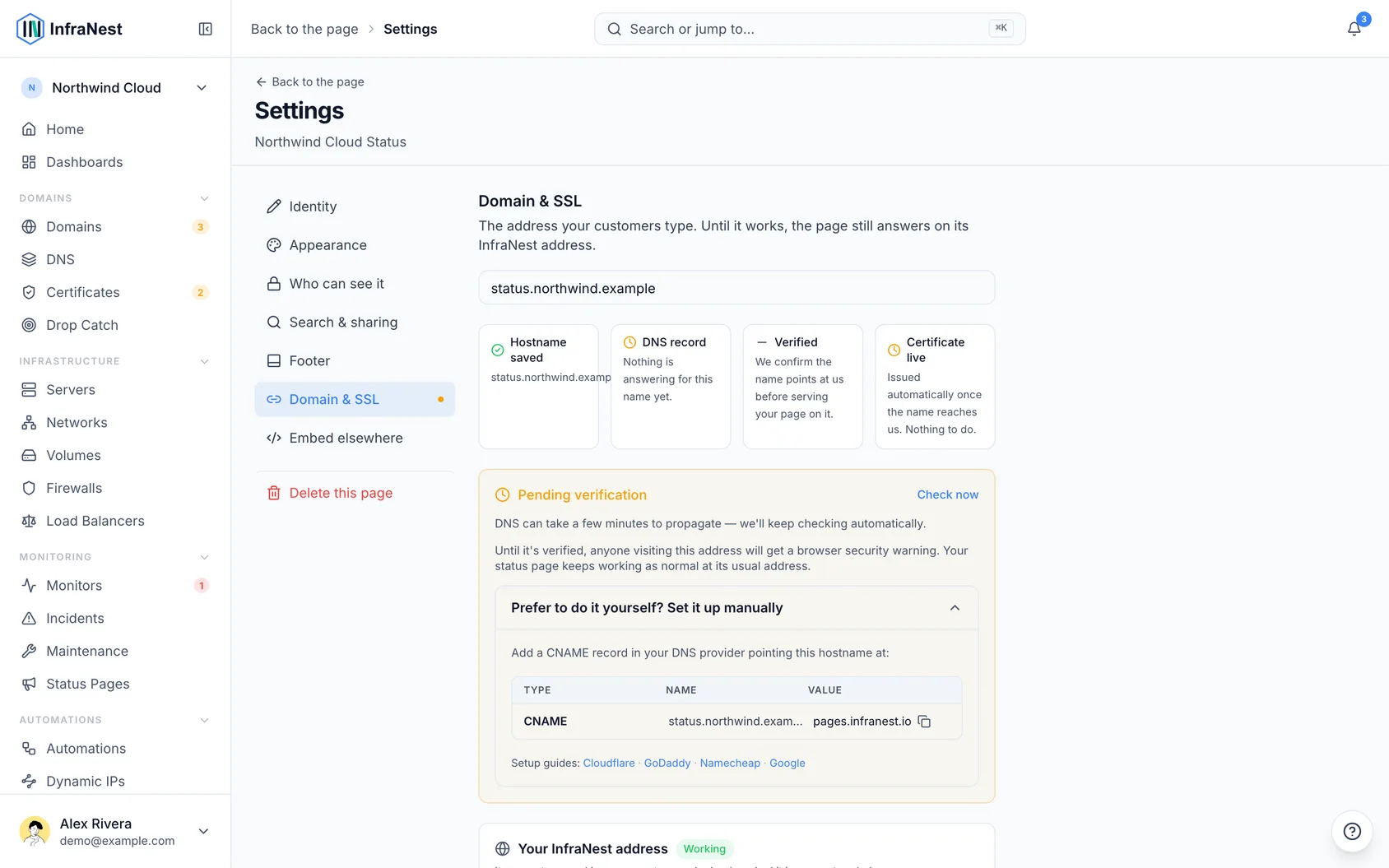
- InfraNest verifies the domain (the page shows the progress). We keep checking for two weeks, so a record that takes a while to appear still verifies on its own. That includes a domain marked as failed. After two weeks, choose Check now.
- Once verified, HTTPS is set up automatically — there's no certificate to manage.
NoteIf your DNS is managed in InfraNest, you can add the CNAME right from the DNS module. Custom domains may be part of a higher plan.
Was this article helpful?
Related articles
Create a status pageBuild a status page from the monitoring you already run — there's no data to update by hand.The team view of a status pageYour status page is written for your customers. It answers one question — is something broken — and it deliberately answers nothing else.What people see when your status page link is sharedA status page is made to be shared. When something goes wrong, someone pastes the link into a chat, an email or a post — and before anyone clicks it, the app…About status pagesA status page turns your monitoring into a branded public page — on your own domain with automatic HTTPS — that shows customers what's up, what's degraded…