

This article is for anyone who shares a status page link and wants to control what shows up when it's pasted into a chat, email or search result.
Overview
- When a status page link is shared, the app it's pasted into (Slack, Teams, search engines, and so on) shows a small preview card with a title, a sentence and a picture.
- This article covers where that card's content comes from and how to change it.
- You can preview exactly what people will see before you share anything.
Check and edit your sharing preview
- Go to Status pages and open your page.
- Press Settings at the top.
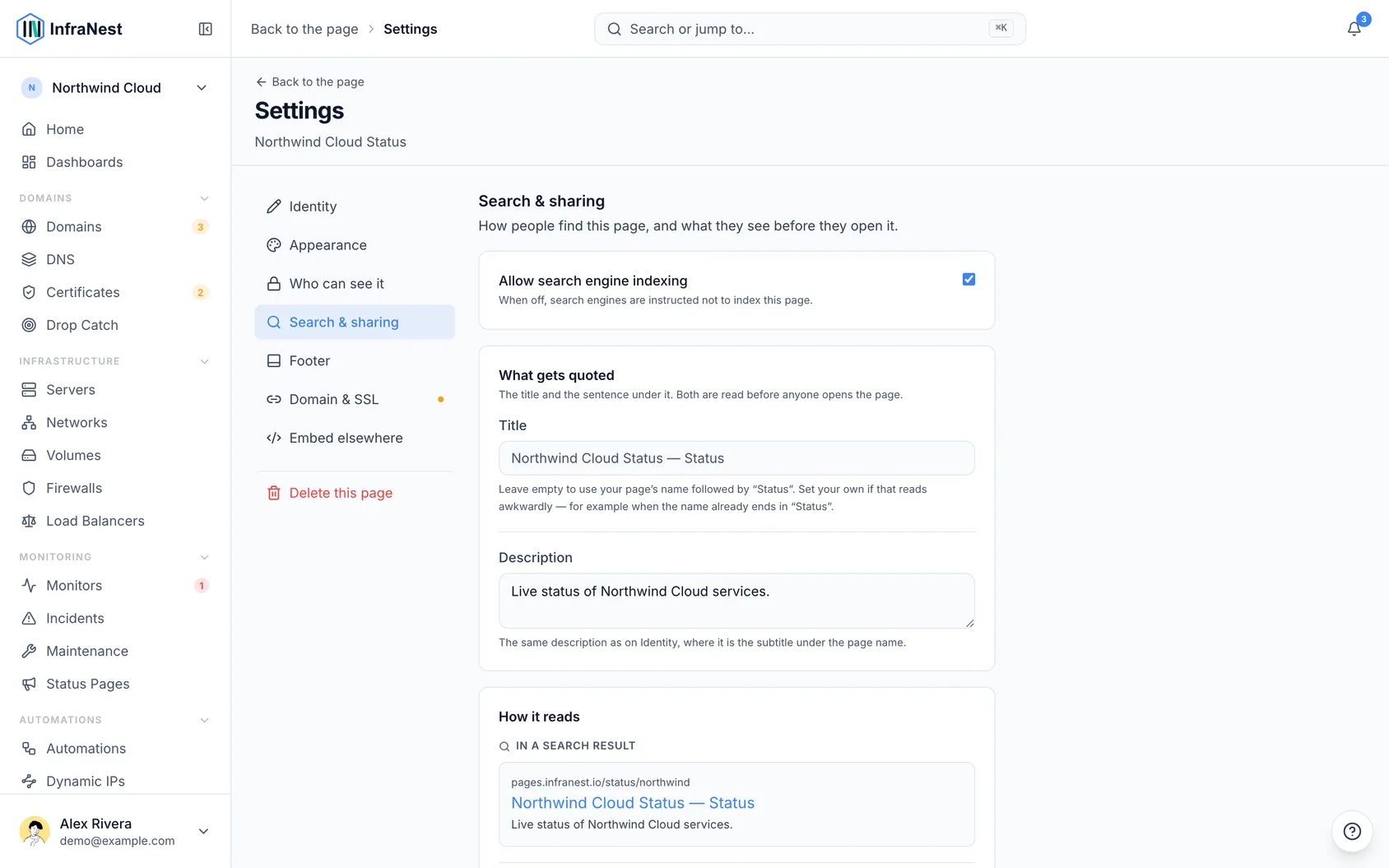
- Pick Search & sharing from the list on the left.
- You'll see two previews — one showing how your page looks In a search result, and one showing how it looks Pasted as a link.
The two ways people find your page
They look different because they work differently, and it's worth knowing which is which.
- In a search result — someone searching for "is Northwind down" sees your page listed, with its name and your sentence underneath.
- Pasted as a link — someone drops the address into Slack, Teams, WhatsApp, iMessage or LinkedIn and a card appears in the conversation, showing the same name and sentence, plus a picture.
Both previews on this screen show you the real thing, so you can check the wording before anyone else reads it.
What goes in the card
The title is whatever you type in the Title box on this screen. Leave it empty and it's your page's name with "Status" after it — the box shows you what that will be, in grey, so you can see the default without having to set it.
Setting your own is worth doing when the automatic one reads awkwardly. A page named "Acme Status" would otherwise be titled "Acme Status — Status" everywhere it's quoted; type "Acme — Service status" and that's what people see. It only changes the title in tabs, search results and link cards — the heading on the page itself still comes from the page's name, under Identity.
The sentence is your page's description. You can edit it right here on this screen, or under Identity — it's the same box either way, so they can't disagree. If you leave it blank the card falls back to your page's name, which works but says nothing; one plain sentence saying what the page covers is worth writing.
The picture is your page's header image, if you've added one under Appearance. If you haven't, we draw one for you: your page's name on your page's colour, your logo beside it if you have one, and the status the page is showing right now — "All systems operational", "Partial outage" and so on. When the status changes, so does the picture, so a link pasted during an incident shows the incident.
There's nothing to set up for this. If you'd rather use your own picture, add a header image and the card uses that instead.
NoteIf your page's name is written in a script such as Chinese, Japanese or Arabic, we can't draw it yet, so the card uses your logo — or no picture if you have no logo.
Your own domain
If your status page is on your own address, everything above works exactly the same way there. The card shows your page — your name, your sentence, your picture — and nothing of ours.
Pages that aren't public
If your page isn't shared publicly, or it's behind a password, a pasted link shows nothing about it. No name, no description, no picture. That's deliberate: a page only certain people are meant to read shouldn't announce its own name to everyone a link gets forwarded to. The preview on this screen says so rather than showing you a card that would never appear.
Keeping the page out of search
Sharing a link and being listed in search are separate things. The Allow search engine indexing setting, at the top of the same screen, only controls the search half — turning it off doesn't stop a pasted link from showing a card, because the person pasting it already has the address.
TipA page that isn't public is never listed either way, whatever that setting says.
Was this article helpful?