

Connect your SSL.com account to InfraNest by grabbing two credentials from your SSL.com dashboard, then entering them on the connection screen.
Overview
- InfraNest uses your SSL.com API credentials to manage certificates on your behalf.
- You'll need to copy two values — your Account key and Secret key — from SSL.com before you can finish connecting.
Get your keys
- Sign in to your SSL.com account.
- Go to API Credentials.
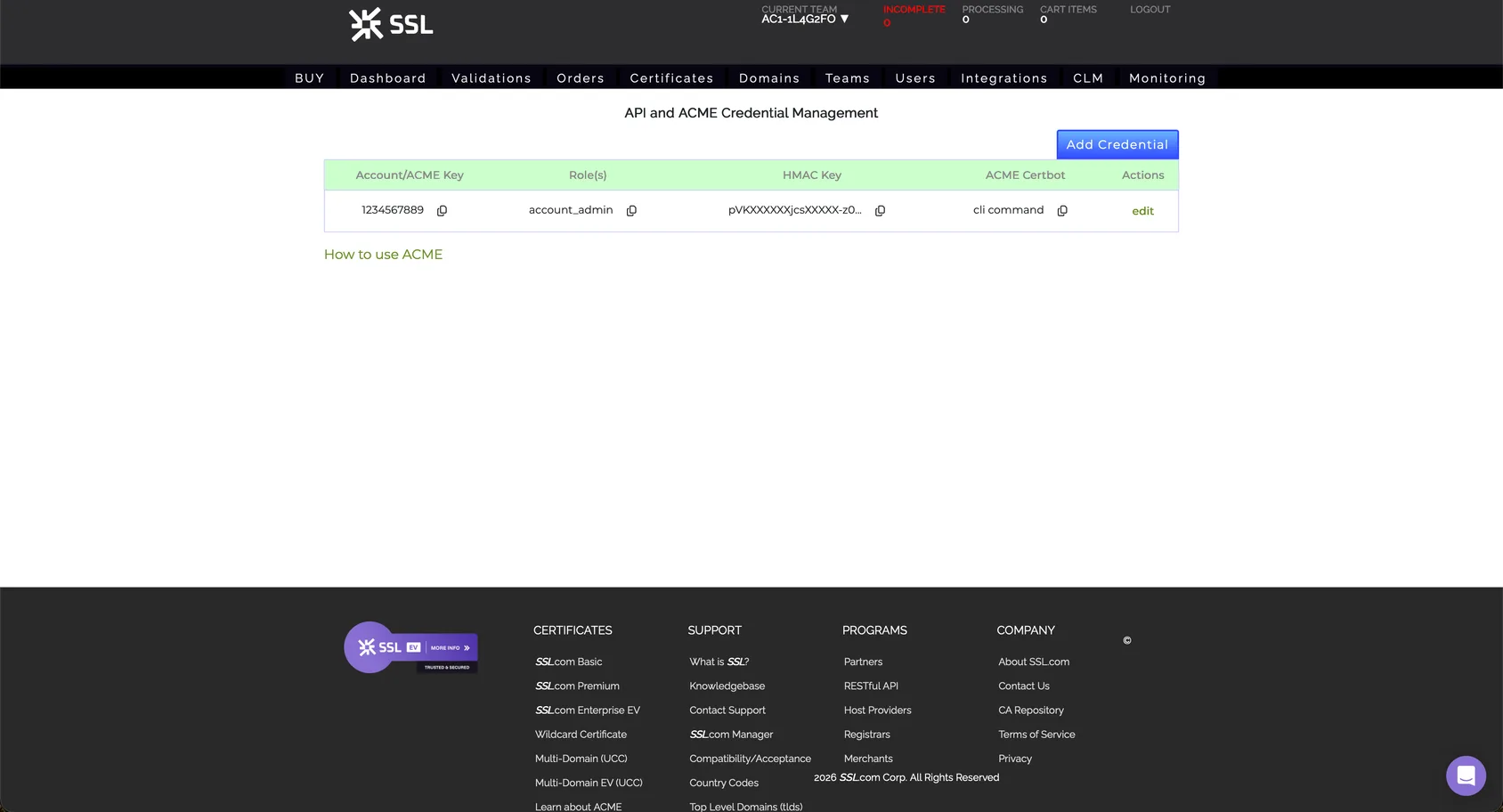
- Copy your Account key and Secret key. You'll paste both of these into InfraNest in the next step.
NoteKeep this page open, or paste the keys somewhere safe temporarily — you'll need both values in the next step.
Next step
- Go back to InfraNest.
- Follow the steps to connect SSL.com and enter the Account key and Secret key you copied.
Was this article helpful?